
Effective 1st August 2024, B2C reporting rules require many businesses to report retail sales to the IRBM. This introduction explains how the consolidated e-invoice route works and when firms may still use it.
The mechanism lets retailers and hospitality venues aggregate many small sales into a single monthly report. By using the designated TIN EI00000000010, a supplier can report transactions for the general public without collecting buyer details for every sale. This saves time and reduces paperwork.
We will cover the portal requirements, necessary data fields, and the specific scenarios allowed by authorities. This guide helps your business meet e-invoicing malaysia rules, avoid penalties, and keep daily operations smooth.
Key Takeaways
- Use the TIN EI00000000010 to report public sales without buyer details.
- The August 1, 2024 mandate affects retail, hospitality, and similar industries.
- Consolidated e-invoicing reduces the need to issue individual receipts for small sales.
- Follow portal guidelines and required data fields to stay in compliance.
- Proper setup cuts admin work and lowers the risk of tax penalties.
Understanding the Consolidated e-Invoice Malaysia Framework
The IRBM now requires suppliers to issue digital proof for all B2C sales so daily takings feed into national tax records. This change aims to make every transaction transparent and verifiable.
The MyInvois platform is central to the system. Suppliers must validate income through this portal to meet tax rules. The approach is aimed at high-volume, low-value sales where collecting buyer details is impractical.
This method helps businesses reduce manual entry and stay in compliance. Firms can focus on sales while the platform records the necessary data for authorities.
“Accurate digital reporting reduces errors and strengthens trust between businesses and tax authorities.”
- Who it suits: retailers, hospitality, and other high-transaction outlets.
- What is required: aligned internal accounting and timely submission to MyInvois.
- Benefit: fewer individual receipts to manage while keeping tax records complete.
| Use Case | Typical Volume | Compliance Impact |
|---|---|---|
| Small retail sales | High | Simplifies reporting |
| Restaurant walk-ins | Very High | Reduces manual invoicing |
| Service counters | Medium | Keeps records accurate |
| Special events | Variable | Requires clear batching |
How the Consolidation Process Works for B2C Transactions
Learn how sellers manage mixed retail flows so every sale is tracked and customers get the documentation they need. This section explains two common paths and the steps suppliers must follow to stay in compliance with reporting rules.
Buyer Requests an E-Invoice
If a buyer asks for an e-invoice, the supplier must collect full details immediately via the MyInvois portal. Gather the buyer’s full name, TIN, and address and record the e-invoice transaction in real time.
Do not include that transaction later in a monthly consolidated e-invoice. Issue the individual document and keep the record separate for tax and audit trails.
Buyer Does Not Require an E-Invoice
When a customer accepts a normal receipt, the supplier issues the receipt at the point of sale. Those receipts are then grouped into a monthly consolidated e-invoice submission.
This dual process helps businesses handle high-volume retail and higher-value transactions efficiently. Keep clear logs showing which transactions were issued individually and which were batched. If a customer changes their mind before month close, issue the individual e-invoice immediately.
- Tip: Maintain simple flags in your POS to track which transactions join the monthly consolidation.
- Tip: Reconcile receipts against portal submissions to avoid duplicate reporting.
Key Components and Data Requirements
Clear data fields and standard identifiers make reporting high-volume sales fast and reliable.
Every consolidated e-invoice must list the buyer as “General Public” and use the mandatory TIN EI00000000010. This placeholder replaces individual buyer details for routine retail receipts.
Keep descriptions short and accurate. Summarize goods or services so the authority can understand batched activity at a glance. Accurate entry reduces rejections and speeds processing.
“Accurate data entry is the simplest way to prevent portal rejections and reporting delays.”
- Maintain detailed logs for each transaction grouped in the monthly file.
- Retain records for the required period to support audits.
- Use consistent wording for item summaries across stores and tills.
| Field | Requirement | Example |
|---|---|---|
| Buyer Name | Must be “General Public” | General Public |
| TIN | Use placeholder TIN EI00000000010 | EI00000000010 |
| Description | Clear summary of aggregated transactions | Daily retail sales – food & beverages |
Navigating the Submission Timeline
Submit your monthly batch within the first week after month-end to keep records current. The IRBM requires that all consolidated e-invoice files reach the portal within seven calendar days after the month closes.
This seven-day window helps the authority maintain timely tax records and gives accurate proof of income for the previous month’s transactions. Missing the deadline can complicate audits and lead to inquiries about a reported transaction or expense.
Plan and schedule your monthly workflow so data is prepared, validated, and queued before the cutoff. The system supports automated uploads when data is clean, which reduces manual work for businesses and speeds processing.
- Adhere to the seven-day rule to avoid penalties and keep records aligned with compliance requirements.
- Use validation checks to catch errors before submission.
- Keep clear logs that link daily receipts to the monthly file for audit readiness.
“Consistent, timely submissions make monthly reporting predictable and defendable during tax reviews.”
Methods for Aggregating Transaction Data
Choose the right method to roll up daily sales so your monthly report stays clear and auditable. The IRBM permits three approved approaches, letting each supplier match reporting to how tills and stores operate.
Listing Each Receipt Individually
This method records every receipt as a separate line in the monthly file. It gives the most granular trail and makes audits straightforward.
Best for: lower-volume outlets that want full traceability.
Grouping Continuous Receipt Numbers
When receipt numbers run in sequence, you may batch them as a single line item. This reduces file size and speeds processing.
Important: only group ranges with no gaps in transaction numbers.
Branch Specific Invoicing
Large retailers with many locations can submit branch-level reports. This keeps sales data organized by store and simplifies reconciliation.
- Pick one method and apply it consistently.
- Ensure each transaction remains traceable back to the POS.
- All three methods are accepted by the IRBM for reporting sales to the general public.
“Applying a single, consistent aggregation method reduces errors and speeds month-end submission.”
Handling Post-Transaction Requests for Individual Invoices
When a buyer asks for a post-month individual e-invoice, suppliers must confirm whether the request falls inside the current reporting period.
If the customer requests an individual e-invoice within the same month as the transaction, the supplier must issue it before the monthly consolidation. This ensures the sale is recorded as a single, validated document in the portal.
Once the month closes and the consolidated e-invoice has been submitted to the tax portal, suppliers may refuse late requests. Allowing retroactive changes would force re-submission or amendment of validated files and could disrupt tax reporting.
- Communicate clearly: Tell customers the cut-off date for claiming an individual e-invoice.
- Track requests: Flag transactions in POS so staff know if a sale is eligible for an individual document.
- Protect compliance: A firm policy reduces errors and avoids portal amendments that complicate tax audits.
“Maintaining a clear process for post-transaction requests helps staff stay compliant and keeps monthly reports accurate.”
Tip: Keep a simple log that links receipts to the consolidated file and records any valid requests before month-end. This makes responding to customers faster and keeps your tax records clean.
Specific Rules for Consolidated Self-Billed e-Invoices
Not all self-billed documents can be grouped for monthly reporting. Only a narrow set of payment types meet the authority’s rules for batched reporting.
Eligible scenarios include interest paid to the public, insurance claim payouts, and compensation to non-business individuals. These cases are treated differently from standard retail sales.
Eligible Scenarios for Self-Billing
- Interest payments to individuals who are not operating a business.
- Insurance claim disbursements and similar payouts to private persons.
- Compensation or refunds paid to non-registered recipients where issuing individual e-invoices is impractical.
Key rules: all self-billed entries must follow the IRBM list of acceptable cases and be submitted within seven calendar days after month-end. The supplier must ensure validation so the documents serve as official proof of payments.
“Correct categorization of self-billed payments keeps reporting clean and reduces follow-up audits.”
The Six-Month Relaxation Period Explained
A temporary six-month easing period gives suppliers time to update systems and train staff without immediate penalties.
The government created this window so businesses can adopt the new consolidated e-invoice rules with less risk. During the period, minor mistakes in the “Description of Product or Service” field will not trigger prosecution under Section 120 of the Income Tax Act 1967.
This phase lets firms refine internal controls, test integrations with MyInvois, and improve how they record transactions. It also gives staff time to learn the new workflow and reduce errors when issuing an e-invoice.

- Flexibility in descriptions helps with daily, high-volume reporting.
- Compliant taxpayers are protected from strict tax action for minor reporting issues.
- Use this time to align systems with long-term guidelines for e-invoicing and compliance.
“The grace period prioritizes education and compliance over immediate enforcement.”
Industries and Transactions Excluded from Consolidation
High-ticket purchases and sector rules require transaction-level records. Effective 1 January 2026, any single transaction over RM10,000 must be issued as an individual e-invoice and cannot join a monthly batch.
This rule protects audit trails and consumer rights. Ten industries are specifically barred from using the monthly roll-up. Firms in these sectors must issue e-invoices every time a qualifying sale or payment happens.
High Value Transaction Thresholds
Single transaction limit: RM10,000 from 01/01/2026. Above this, suppliers must issue an individual e-invoice for that sale or payment.
Sector Specific Exclusions
- Automotive: car and motorcycle sales must issue individual documents.
- Construction: contracts and wholesale/retail supply of construction materials require transaction-level invoicing.
- Luxury goods and jewellery: high-value items are exempt from batch reporting.
- Aviation: ticket sales and private charters cannot use batch files.
- Licensed betting and gaming: operators and payout processing must issue individual records.
- Payments to agents, dealers, and distributors: commissions and incentives need separate e-invoices.
“Understanding these exclusions helps businesses avoid non-compliance and costly audits.”
| Industry | Rule | Effective Date |
|---|---|---|
| Automotive | Issue individual e-invoices for each sale | 1 Jan 2026 |
| Construction | Contracts and material sales must be transaction-level | 1 Jan 2026 |
| Luxury goods & jewellery | High-value items require individual documentation | 1 Jan 2026 |
| Betting & gaming | Payouts and winnings must be invoiced individually | 1 Jan 2026 |
Managing System Limitations and File Sizes
System thresholds shape how high-volume retailers prepare their monthly tax submissions. The MyInvois portal caps uploads to 5MB per file, 100 e-invoices per submission, and 300KB per individual e-invoice.
These limits exist to keep the platform fast and stable for all users. If your daily receipts exceed the caps, split files before upload.
Tip: Ensure your accounting software can auto-split large batches of transactions so staff do not hand-slice files at month-end.
“Monitoring file size prevents rejected uploads and keeps reporting on schedule.”
- Keep each file under 5MB and under 100 entries.
- Watch individual record size — stay below 300KB per e-invoice.
- Validate files locally to catch errors before submission.
Proper handling of these limits reduces failed uploads and helps businesses meet deadlines. Regular checks and automation make e-invoicing predictable for high-volume operations.
Supplier Responsibilities for Compliance
Suppliers must keep clear day-to-day logs so monthly reports match recorded takings.
Accurate records are the foundation of proper reporting. Every transaction should be logged with enough detail to trace the sale back to the point of purchase.
Submit the monthly file within seven calendar days after month‑end. Timely upload of consolidated e-invoices keeps tax records current and avoids follow-up audits.
Retain proof of sales and receipts. The validated e-invoice acts as official tax evidence, so keep backups and reconciliation reports for audit requests.
“Clear processes and prompt submissions protect your business from penalties.”
- Ensure internal checks handle high-volume transactions and preserve data integrity.
- Train staff to flag sales that must issue individual documents before month close.
- Monitor regulatory updates so your process stays aligned with new rules.
| Responsibility | Requirement | Consequence |
|---|---|---|
| Record keeping | Daily logs linked to each sale | Faster audits and clear traceability |
| Submission | Within 7 days after month-end | Avoid penalties and inquiries |
| Proof retention | Keep validated e-invoices and receipts | Support tax audits and disputes |
| Policy updates | Monitor e-invoicing guidance | Maintain ongoing compliance |
Benefits of Adopting Consolidated e-Invoicing
Switching to a monthly roll-up turns dozens of small daily receipts into a single, manageable record. This method trims admin time and keeps point-of-sale staff focused on customers.
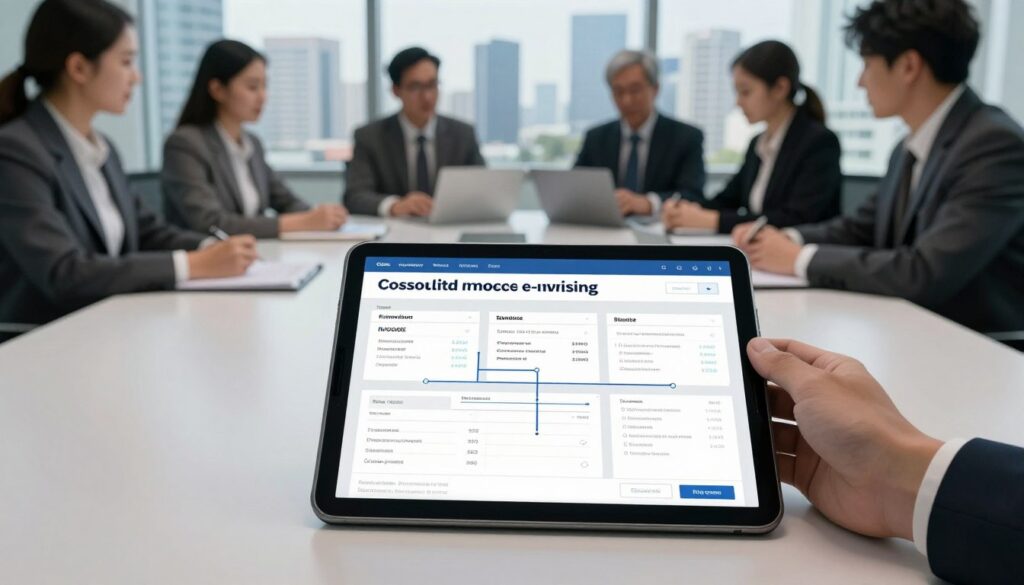
For many retail and hospitality businesses, the main gain is simpler month-end work. Teams reconcile fewer files, reduce manual entry, and cut mistakes when reporting hundreds of transactions.
Compliance becomes easier when the supplier sends one validated file instead of issuing an individual e-invoice for every small sale. That lowers the risk of missed reports and late adjustments.
- Reduce daily paperwork so staff serve guests rather than chase receipts.
- Simplify tax submission with a clear aggregated summary of all sales.
- Create a reliable audit trail that supports trust with authorities.
- Apply the approach across industries, from retail counters to online services and food outlets.
“Adopting batched reporting supports growth by making tax reporting accurate, timely and less burdensome.”
Choosing the Right Software for Your Business
Software choice shapes how smoothly your company meets reporting demands and closes month-end. Pick a platform that fits your workflows and reduces manual steps.
Integration and Compliance Features
JomeInvoice is a recommended option. It links with SAP, Sage, and Odoo so your accounting data flows without manual exports.
Look for automatic updates and ISO certification. These features keep e-invoicing rules and tax formats current. Reliable vendors also offer training and dedicated support to help staff adapt quickly.
- Seamless connections with core accounting systems.
- Compliance tools that validate data and reduce rejected transactions.
- Support and training to speed adoption across stores.
| Feature | Why it matters | Notes |
|---|---|---|
| Integration | Reduces duplicate entry | SAP, Sage, Odoo connectors |
| Compliance updates | Keeps filings valid | Auto updates, ISO certified |
| Support & training | Faster staff readiness | Local helpdesks and guides |
| Flexibility | Handles batches and single transactions | Works for retail and service businesses |
“Choose a trusted provider backed by a public company to secure your financial data.”
Conclusion
Firms that prepare now will avoid last-minute fixes when reporting high-volume sales. Adopting the monthly roll-up helps businesses keep operations smooth while meeting new rules for e-invoicing.
Follow IRBM guidance and pick reliable software to link your POS and accounting system. That makes handling many small transactions faster and keeps your team on top of compliance.
Remember some industries and high-value sales must still use individual e-invoice documents. Use the six-month support window to train staff and test processes so your businesses can transition with confidence.
Review current invoicing practices now and act to avoid penalties later. Proper preparation will save time and help build a more transparent, efficient economy in Malaysia.
FAQ
What is a consolidated e-invoice and when can businesses still use it?
A consolidated e-invoice lets a supplier combine multiple sales into a single tax document for a period or shift. Businesses may use it when rules allow aggregation for B2C retail or wholesale sales, subject to exclusions like high-value luxury goods, construction contracts, and certain betting or gaming transactions. Always check the latest tax portal guidance before issuing consolidated documents.
How does the Malaysia framework affect consolidated invoicing?
The framework sets data standards, submission timelines, and transaction types eligible for aggregation. It mandates specific fields such as taxpayer identification (TIN), transaction timestamps, and supplier details. Some industries must issue individual invoices for each sale, so verify sector rules and system capabilities to stay compliant.
What happens when a buyer requests an individual e-invoice at the point of sale?
If a buyer asks for a single-sale document, the supplier must issue an individual invoice for that transaction. The system should mark that record as a standalone transaction so it isn’t included in aggregated files later. This applies to retail customers who request separate documents for warranties, returns, or accounting.
Can I include transactions where buyers did not request an invoice?
Yes. When buyers do not request an individual document, eligible retail and wholesale sales can be grouped and reported through an aggregated submission. Ensure each receipt’s data is retained and traceable in case customers request copies later or tax auditors need verification.
What key data must be included in each aggregated submission?
Aggregated files must contain core elements for every sale: supplier TIN, sales date and time, total amount, tax amounts, payment method, and a traceable receipt reference. For luxury jewellery and other excluded categories, full individual details are required instead of aggregation.
What are the submission deadlines for aggregated sales?
Deadlines vary by phase-in schedules and relaxation periods. Generally, suppliers must submit aggregated files within the prescribed reporting window after the sales period ends. Use the tax authority portal timelines and your software provider’s compliance settings to avoid late submissions.
What methods can I use to aggregate transaction data?
Common methods include listing each receipt as a separate line, grouping continuous receipt number ranges, or producing branch-specific summaries when stores operate under a single TIN. Choose the method that keeps records clear and supports traceability for audits and customer requests.
When should I list each receipt individually within an aggregated file?
List receipts individually when traceability is required, such as for returns, warranty claims, or when customers later request copies. This method helps reconcile payments and supports easier customer service without breaking compliance rules.
How do I group continuous receipt numbers properly?
Group continuous numbers by specifying the start and end receipt numbers and including total values for that range. Maintain the detailed line-level records internally so you can provide individual copies if the customer or tax office requests them.
What is branch-specific invoicing and when should it be used?
Branch-specific invoicing aggregates sales per outlet while keeping each branch’s receipts traceable under the main TIN. Use this when multiple physical stores operate under one taxpayer but need separate reporting for internal controls or branch-level audits.
Can customers request individual invoices after a consolidated file has been submitted?
Yes. Suppliers must be able to provide individual sales documents on request, even after submitting an aggregated file. Maintain accessible records and a process for issuing post-transaction individual invoices promptly to meet customer needs and compliance checks.
Are self-billed aggregated documents allowed?
Self-billing aggregation can be allowed in specific scenarios where the buyer issues invoices on behalf of the supplier under a formal agreement. Eligibility depends on the industry and authorization terms, and all required fields must match tax portal specifications.
What scenarios qualify for self-billed aggregated submissions?
Common scenarios include wholesale distributions, centralized procurement for retail chains, or service agreements where the buyer manages billing. Ensure written agreements exist and both parties’ details, including TINs and authorization, appear in filings.
What was the six-month relaxation period and does it still apply?
The six-month relaxation period typically eased enforcement for new reporting rules, allowing businesses extra time to adapt systems and processes. Whether it applies depends on current government announcements and sector rollouts. Check the tax portal for up-to-date relief measures.
Which industries and transactions cannot use aggregation?
Exclusions often include high-value luxury items like jewellery above set thresholds, construction contracts, certain financial services, betting and gaming receipts, and any sale requiring individual tax documentation. Verify thresholds and sector-specific rules on the tax portal.
What are the high-value transaction thresholds that prevent aggregation?
Thresholds change by regulation; common practice sets caps where sales above a monetary limit must be reported individually. Monitor official guidance and your accounting software’s compliance updates to apply the correct thresholds for luxury goods and other restricted items.
How should businesses handle system limits and large file sizes?
Split large data sets into multiple compliant files, use branch-specific batches, or adopt compression and secure transfer methods recommended by the tax portal. Work with your software vendor to ensure file formats meet size and transmission standards.
What are supplier responsibilities for complying with aggregation rules?
Suppliers must collect accurate sales data, implement compliant software, issue individual invoices where required, retain detailed records, and respond to customer or authority requests quickly. Establish internal controls and staff training to avoid errors and penalties.
What benefits does adopting consolidated reporting provide?
Aggregated reporting simplifies daily invoicing, reduces paperwork, and lowers processing costs for high-volume B2C sales. It improves operational efficiency while maintaining traceability when implemented with robust record-keeping and compliant software.
How do I choose the right software for aggregated submissions?
Look for solutions with automated tax compliance, portal integration, secure file handling, and easy retrieval of individual receipt data. Prioritize vendors who support branch-level reporting, continuous receipt grouping, and regular updates for legal changes.
What integration and compliance features are essential?
Essential features include real-time portal connectivity, TIN validation, configurable grouping rules, audit logs, and the ability to generate individual documents on demand. Ensure your provider offers support for industry-specific exclusions and large-file management.