Understanding the e-Invoice Malaysia 2026 landscape is a crucial first step for SME owners facing a government-led digital shift. The mandate started its phased rollout on 1 August 2024 for large taxpayers, and authorities later extended Phase 4’s grace period to ease the transition.
Small firms should map their annual turnover to the correct phase. The implementation dates, including the July 2025 threshold and the final July 2026 deadline, determine when your company must adopt the MyInvois portal. Align your accounting and invoicing systems with the stated requirements to stay audit-ready.
This short guide outlines simple steps to manage data, secure compliance, and avoid tax penalties. Use the extended relaxation period to test integrations, train staff, and document workflows so your business moves through the phases with minimal disruption.
Key Takeaways
- Phase rollout began on August 2024; check your phase based on turnover.
- Implementation dates like July 2025 and July 2026 set mandatory timelines.
- Register and adapt to the MyInvois portal before your deadline.
- Plan accounting changes now to keep records audit-ready.
- Use the relaxation period to test systems and train staff.
- Proper planning reduces risk of tax penalties and operational disruption.
Understanding the e-Invoice Malaysia 2026 Mandate
Every business must now adapt its billing process to meet a government-validated digital standard. The mandate replaces paper bills with a structured e-invoice format that the Inland Revenue Board validates in real time.
What is an e-invoice?
An e-invoice is a structured digital document that replaces traditional paper invoices. It must include specific data fields and be submitted in XML or JSON for instant validation by the revenue board.
The rollout aims to boost tax transparency and cut unseen income. A government review found RM1.4 billion in unreported revenue early in 2026, which helped shape the policy.
“This system gives the inland revenue better visibility and reduces manual errors in invoicing.”
- The phased implementation began 1 August 2024 and continued through July 2025.
- Phase 4’s implementation date in january 2026 requires businesses to report turnover revenue via the MyInvois portal.
- Proper e-invoice implementation means configuring your accounting system to meet the revenue board requirements.
Determining Your Business Phase and Compliance Status
Identify your phase by checking your audited annual turnover against the official thresholds.
Start with your audited financial statements for the relevant year to confirm annual turnover. The inland revenue board uses these figures to assign phases that affect your e-invoice implementation.
Businesses with revenue between RM1 million and RM5 million fall under Phase 4. That phase has a key implementation date of january 2026, so plan integrations accordingly.
If your company began operations between 2023 and 2025, assess current revenue rather than FY2022 numbers. The revenue board provides clear rules for calculating turnover revenue.
- Verify annual turnover from audited statements.
- Use the MyInvois portal to check your phase and track compliance.
- Maintain compliance even if revenue later falls below the RM1 million threshold.
Tip: When in doubt, consult a tax professional to confirm your classification and avoid penalties tied to incorrect phase assignment.
The Impact of the Extended Grace Period
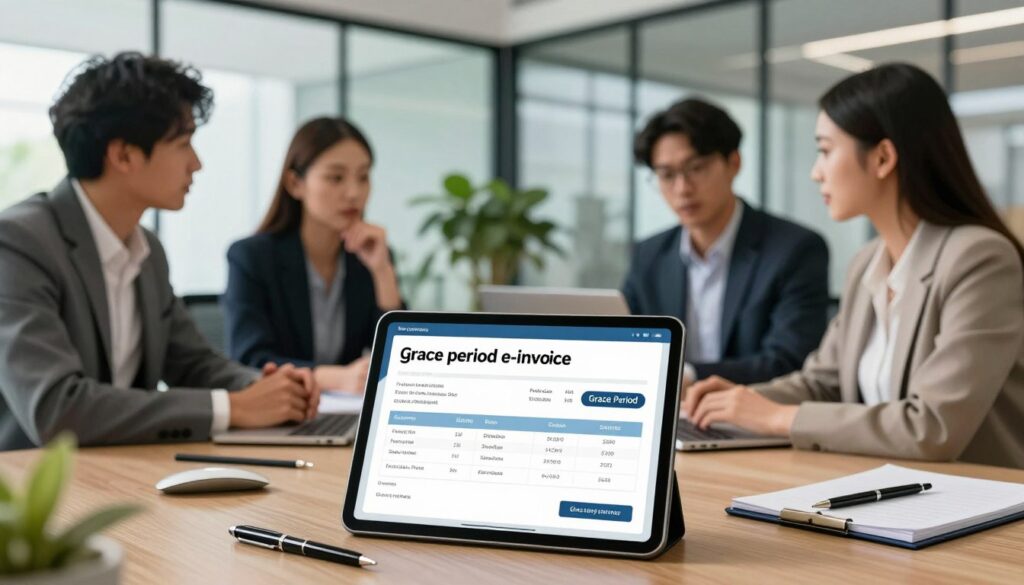
The Phase 4 relaxation period was lengthened by 12 months, ending on 31 December 2027. This change delays penalty enforcement until 1 January 2028 and gives affected firms practical time to prepare.
What the Grace Period Allows
The extension lets businesses with revenue between rm1 million and rm5 million issue consolidated e-invoice records for most transactions. While the official implementation date remains January 2026, the extra time helps teams refine processes before penalties apply.
- Use the relaxation period to test integrations and train staff.
- Ensure annual turnover and turnover revenue are accurately reported to tax authorities.
- The RM10,000 rule still requires individual invoices for high-value sales.
- Compliance now reduces last-minute errors and smooths the shift to full enforcement.
Tip: Treat this window as an opportunity. Optimize your invoicing setup, document workflows, and run end-to-end tests so your business meets the e-invoicing requirements well before the enforcement date.
Navigating the RM10,000 Transaction Rule
Any single sale that meets or exceeds RM10,000 triggers an immediate individual invoice requirement. This rule takes effect on january 2026 and is enforced even during the relaxation period.
Under the Income Tax Act 1967, transactions at or above the RM10,000 threshold cannot be bundled into consolidated reports. Businesses must issue a standalone e-invoice the moment the payment is made or recorded.
Your invoicing system should flag high‑value sales automatically. If your software cannot, use the MyInvois portal to generate single invoices manually to stay in compliance.
Train staff to spot when a sale needs an individual invoice and update workflows so large transactions are never missed. Accurate reporting of annual turnover and turnover revenue remains important, but this rule applies to each invoice value.
- Effective from january 2026: individual invoices for transactions > RM10,000.
- Legal basis: Income Tax Act 1967; non-compliance may bring penalties.
- Use system flags or the MyInvois portal to generate immediate invoices.
Choosing Between MyInvois Portal and API Integration
Picking the right connection—manual portal or API—depends on how many invoices you process each month. Match the method to your transaction volume, accounting software, and staff capacity.
Manual Submission via MyInvois
The MyInvois portal is a web-based system ideal for small firms with low transaction counts. It lets staff enter invoice data by hand and submit single records quickly.
This option keeps costs down and suits businesses that lack integrated accounting software.
Automated API Integration
API integration sends invoices in real time from your accounting software to the revenue system. It reduces manual work and cuts errors for high-volume companies.
APIs need initial setup and testing, but save significant time once live.
| Feature | Best for | Key benefit |
|---|---|---|
| MyInvois portal | SMEs with low volume | Low cost, simple setup |
| API integration | Larger companies | Real-time transmission, fewer errors |
| Decision factor | All businesses | Annual turnover, software complexity, time saved |
- Tip: Use your implementation date and current transaction counts to decide.
- Ensure annual turnover and turnover revenue are captured in every submission for compliance.
Essential Data Fields for Compliant Invoicing
Prepare your invoicing system to capture 55 mandatory fields; this is non-negotiable for accepted submissions.
These fields include seller and buyer details, item descriptions, tax codes, quantities, unit prices, and final totals. Accurate entry of the Tax Identification Number (TIN) and business address is vital.
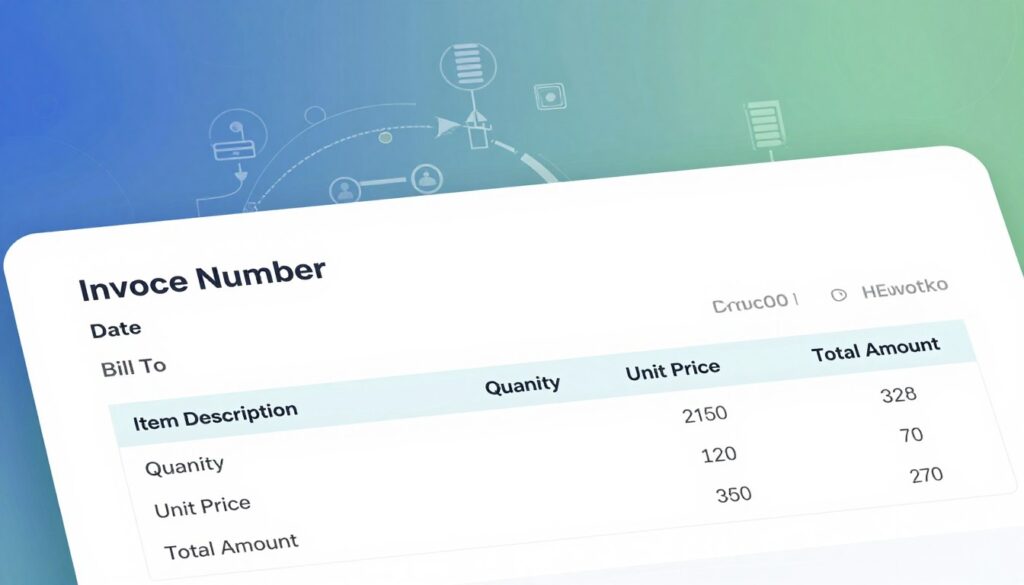
Your system must validate each data point before submission to the MyInvois portal. Validation reduces rejections and speeds up approval.
- Compliance tip: Ensure accounting software stores all 55 fields per the latest LHDN guidelines.
- Automate checks for missing values so staff catch errors early.
- High data quality simplifies reporting of annual turnover and revenue to the tax authority.
“Maintain consistent data formats and run regular audits of your invoice templates.”
Treat these requirements as part of your implementation plan. Regular reviews keep businesses compliant and cut administrative work later.
Managing Accounts Receivable and Payable Workflows
Update AR and AP workflows now so every credit, debit and refund note is validated digitally.
The shift to structured e-invoice submission means each step — creation, validation, and filing — must flow through the MyInvois portal or an integrated API system. That change affects who does what and when.
Real-time validation gives suppliers and buyers a shared, accurate view of obligations. This reduces disputes and speeds reconciliation.
Ensure your accounting records mirror validated invoice data. Accurate records protect your business during tax reviews and help track annual turnover and revenue.
- Workflow update: Map each step from invoice creation to submission and assign roles.
- Data integrity: Make validated e-invoice fields the source of truth in ledgers.
- Credit/debit notes: Issue them as e-invoices so adjustments are traceable.
- Efficiency: Integrate to cut manual reconciliation and speed cash flow visibility.
| Area | Action | Benefit |
|---|---|---|
| Invoice creation | Use templates that match portal fields | Fewer rejections, faster approval |
| Validation & submission | Portal entry or API push in real time | Accurate tax records and audit trail |
| Adjustments | Issue credit/debit as e-invoice | Clear documentation for refunds |
Step through AR and AP now and run a clean-up review. Small fixes in process and system configuration will improve compliance and cash-flow control for your business.
Understanding Self-Billed E-Invoices
In certain arrangements, the buyer issues the invoice on behalf of the supplier to record the transaction for tax purposes.
Self-billing happens in clear scenarios. Examples include commission payments and cases where foreign suppliers cannot issue local invoices.
Scenarios Requiring Self-Billing
When a buyer creates the official document, that buyer must ensure every detail is accurate. This protects both parties and keeps records tidy for tax reviews.
- Purpose: The buyer acts as issuer so expenses are recorded for tax and accounting.
- Common uses: Agent commissions and foreign supplier settlements.
- Since january 2026: guidelines have been standardised, so buyers must follow LHDN rules closely.
- Systems: Ensure your accounting software and the myinvois portal capture required data fields when generating these invoices.
- Collaboration: Work with suppliers to get correct details so annual turnover and revenue reporting stay accurate.
Tip: Treat self-billing as part of your broader e-invoicing implementation. Clear processes reduce rework and improve compliance.
Preparing Your Team for the Digital Transition
Equip teams with hands-on practice so the new invoice workflow feels familiar from day one. Staff training is essential to overcome resistance and to make e-invoice implementation a steady, predictable change.
Start cross-functional sessions that include finance, IT, and operations. These workshops show how the system affects daily tasks and who owns each step.
Focus training on the MyInvois portal, your accounting software, and accurate data entry. Clear exercises help teams reduce errors that affect tax reporting and revenue records.
- Run short, repeated practice drills on the portal and API flows.
- Create a simple internal guide that lists each step for invoice creation and submission.
- Allocate time for role-based testing before the implementation date and the july 2026 deadline for new businesses.
Tip: Companies that invest in training see smoother adoption and higher compliance. Make ongoing support part of your plan so the business meets requirements and stays audit-ready.
Getting Professional Assistance for Your Implementation
Get expert help early to bridge technical gaps and reduce risk during the invoicing transition.
Professional middleware providers can link your ERP to the LHDN MyInvois portal so your accounting software talks to the revenue system without manual work.
Expert tax advisors clarify phase assignments and interpret income tax rules so your company meets legal requirements and reports revenue correctly.
Why hire help? Skilled teams handle configuration, validate data fields, and run tests so your implementation date is met without last‑minute problems.
- Contact our professional team at +60143422168 for guided e-invoice implementation support.
- We integrate software with LHDN standards while keeping operations live.
- Our advisors explain tax requirements and ensure compliance under the Income Tax Act.
- We offer focused training and post-launch support so staff manage the digital transition with confidence.
Don’t wait for the deadline. Early assistance saves time, reduces errors, and helps small businesses and larger companies stay audit-ready.
Conclusion
Now is the time to confirm roles, tools, and testing schedules so your invoicing runs smoothly on the required date.
Phase 4 firms with revenue between rm1 million and rm5 million should prioritise e-invoice implementation and use the extended relaxation period to refine systems. These steps help businesses avoid last-minute fixes and rework.
Remember the RM10,000 rule requires immediate individual invoices, and the final enforcement window follows the grace timeline. Proactive e-invoicing adoption keeps businesses audit-ready and reduces penalty risk.
If you need help checking which phases apply or completing setup, our team can guide your transition. Contact us for hands-on support so your business stays compliant and confident.
FAQ
What does the new Malaysia e-Invoice 2026 mandate mean for small and medium businesses?
The mandate requires businesses above certain turnover thresholds to issue compliant electronic invoices through the MyInvois portal or an integrated API. It affects invoicing, accounting, tax reporting and data submission; companies must map their invoice fields, update software or use the government portal, and train staff to avoid penalties and ensure Income Tax and sales tax records remain accurate.
What is a compliant electronic invoice under the program?
A compliant invoice is a digital document that contains required fields such as supplier and buyer details, tax registration numbers, invoice date, invoice number, taxable amount and tax amount. It must be submitted in the prescribed structured format to the Inland Revenue Board (LHDN) or processed via MyInvois or an approved API so it can be validated and recorded.
Why did the government mandate structured invoicing?
The goal is to improve tax compliance, reduce fraud, speed up revenue collection and create accurate, machine-readable transaction records. This makes audits easier, improves cash flow visibility for businesses and lets authorities reconcile tax returns more efficiently.
How do I know which phase my business falls under for compliance?
Phases are determined by annual turnover thresholds set by the Inland Revenue Board. Check your most recent financial year turnover against the official phase schedule to see when you must start issuing structured invoices. If your turnover exceeds the RM1 million or RM5 million thresholds in the announced phases, prepare to comply by the assigned start date.
What is the extended grace period and what does it allow?
The extended grace period gives businesses extra time to implement systems, complete testing and train staff without immediate penalties. During this period the authorities may offer relaxed enforcement for minor technical errors while still expecting registration and active progress toward full compliance.
Are there limits on when the grace period ends?
Yes. The Inland Revenue Board publishes specific dates for the end of the grace period. After that date, full compliance is required and penalties may apply for non-compliant invoices or late submissions, so use the relief window to complete integration and remedial actions.
How does the RM10,000 transaction rule affect invoicing?
Transactions at or above RM10,000 may trigger specific reporting requirements or additional validation checks. Businesses must ensure invoices meeting this threshold include precise buyer identification and transaction details so submissions pass automated validation and comply with tax rules.
Should I use the MyInvois portal or integrate via API?
Use the MyInvois portal for manual submissions if you have low invoice volume or limited technical resources. Choose API integration if you process many invoices, want automation, or need seamless connection with accounting software. Both routes are accepted; pick the one that fits your workflow and budget.
How does manual submission via MyInvois work?
Manual submission involves logging into the MyInvois portal and entering invoice data into the web form or uploading supported files. This is suitable for small volumes but requires staff time for each invoice and careful entry to avoid rejections.
What are the benefits of automated API integration?
API integration automates invoice creation, validation and transmission, reduces manual errors, speeds up processing and keeps accounting ledgers synchronized. It also supports higher volumes and helps meet validation rules for required data fields consistently.
What essential data fields must be included on every compliant invoice?
Mandatory data typically include supplier name and tax ID, buyer name and tax ID (when required), invoice number, invoice date, item descriptions, quantities, unit price, taxable amount, tax rate and tax amount. Ensure your accounting system exports these fields in the required format.
How do accounts receivable and payable workflows change under the new system?
Workflows become more data-driven. You will issue structured invoices that creditors can validate automatically, and suppliers will send structured invoices you can import into your payables system. Reconciliation improves, but you must update approval, matching and payment processes to use the new data format.
What is a self-billed electronic invoice and when is it used?
A self-billed invoice is prepared by the buyer on behalf of the supplier, often used in consignment, long-term supply arrangements or when processing fees make supplier invoicing impractical. The buyer issues the structured invoice and reports it through the portal or API, with agreement from the supplier.
Which scenarios typically require self-billing?
Self-billing is common in vendor-managed inventory, large retail chains reconciling supplier deliveries, and service agreements where the buyer calculates payable amounts. Proper consent from suppliers and accurate records are essential to meet tax and audit requirements.
How should I prepare my team for the digital invoicing transition?
Train accounting and sales staff on the new data requirements, workflows and tools. Run pilot tests, update standard operating procedures, and schedule hands-on sessions for MyInvois or your integrated software. Clear internal roles for invoice creation, validation and issue resolution speed adoption.
When should I seek professional help for implementation?
Engage accountants, tax advisors or certified software vendors if your turnover is near a threshold, you have complex billing, use legacy systems, or you plan API integration. Professionals can map required fields, validate formats, and advise on tax and compliance risks.
Are there training resources and official guidelines available?
Yes. The Inland Revenue Board and approved software providers publish technical guides, webinars and training materials. Use these resources for step-by-step instructions on registration, the MyInvois portal, API specifications and compliance timelines.
How will this system affect income tax and sales tax reporting?
Structured invoices make it easier to reconcile taxable transactions with returns, reducing discrepancies and audit risk. Accurate invoice capture enables timely VAT/GST or sales tax declarations and supports income tax filings with clearer transaction trails.
What happens if my invoices are rejected by the portal or API validation?
Rejections typically include error codes and reasons. Correct the data (missing fields, invalid IDs or formatting issues) and resubmit. Use validation tools offered by software vendors or the portal to test samples before mass transmission to minimize rejections.
Are smaller businesses with low turnover required to comply immediately?
Compliance timelines vary by turnover phase. Small businesses below the mandated thresholds may have later start dates or exemptions. Check official phase schedules and plan ahead—early adoption can improve efficiency even if not immediately required.
How can I reduce implementation costs while ensuring compliance?
Start with the MyInvois portal to avoid upfront integration costs, standardize invoice templates, and phase in automation. Use cloud accounting packages that offer built-in connectivity to the portal or affordable API options to spread investment over time.
Where can I find the official phase dates and turnover thresholds?
The Inland Revenue Board publishes official timelines, turnover thresholds and guidance documents on its website and official communications. Monitor those channels and registered tax adviser updates to stay current with any revisions.