
This short guide helps Malaysian SMEs choose the right path for routine invoicing. Many teams start with spreadsheets, but creating a spreadsheet invoice is not the same as issuing a compliant e-invoice. The gap usually lies in format, required fields, and submission or validation steps.
Think practical, not technical. This article compares keeping a spreadsheet, upgrading billing software, or adding a hybrid converter to meet evolving rules. The focus is day-to-day workflow: fewer manual entries, automated recurring bills, and clearer payment tracking.
Who benefits? Small teams, finance and admin staff, and growing businesses in Malaysia. Expect guidance on risks, workflow impacts, and gentle transition steps that reduce downtime. This is informational, not legal or tax advice; verify obligations with authorities or advisors as rules change.
Key Takeaways
- Spreadsheets work for occasional bills but lack compliance checks.
- Automated tools cut manual entry and reduce rework.
- A hybrid connector helps keep existing files while meeting rules.
- Switching can speed payments and improve recordkeeping.
- Confirm current obligations with local authorities or advisors.
What Malaysia Businesses Mean by “e-Invoice” and Why Compliance Matters
Think of an e-invoice as a digital bill built to carry precise, validated information through your whole billing flow. This is about structured data that travels from sales to accounts without guesswork.
Where e-invoicing fits into practice
In simple terms: customer data → invoice creation → sending/delivery → payment follow-up → accounting posting → reporting and reconciliation. Each step relies on clean data and clear management.
Why compliance matters operationally
Invoices are legally binding. Missing mandatory fields or wrong numbers cause delays, re-issuing, and payment disputes. Good processes cut those interruptions.
- Adaptability: formats, required fields, and tax logic change over time.
- Updates: modern tools update validation rules so teams avoid manual rework.
- Connection: invoices feed accounts receivable, cash flow, and tax reports—weak controls affect wider accounts.
| Aspect | What changes | Practical effect | What helps |
|---|---|---|---|
| Data format | New file layouts or fields | Old files may fail validation | Automated validation and updates |
| Tax logic | Rates and rules update | Totals can be wrong without fixes | Built-in tax rules and versioning |
| Submission method | Portal, API, or email changes | Delivery processes must adapt | Flexible delivery and connectors |
Can I Still Use Excel or Accounting Software for e-Invoice?
Spreadsheets often handle drafts well; the final e-invoice needs structure and validation to pass compliance.
The practical reality of drafting vs issuing a compliant e-invoice
You may keep creating invoices in a spreadsheet, but you must make sure the final file meets Malaysia’s e-invoice rules. Spreadsheets do not enforce mandatory fields, numbering rules, or structured exports.
Typical manual steps include copying customer details, pasting line items, calculating tax totals, and exporting to PDF. Each copy/paste adds risk and extra checks.
When existing software already supports e-invoicing
Some accounting modules include built-in invoice templates, tax handling, customer records, and export options. Check if your tool produces the correct file format, validates mandatory fields, and supports transmission methods required locally.
When an add-on, connector, or conversion layer is smarter
If your billing system is solid but lacks the exact e-invoice format or submission flow, an add-on or connector is a practical solution. A conversion layer transforms spreadsheet-style invoices into structured, validated e-invoices without changing daily workflows.
- Keep drafts in spreadsheets: good for low volume and simple invoices.
- Add a converter: best when you want compliance but minimal process change.
- Upgrade modules: choose this when volume, reporting, or automation matters.
Excel for e-Invoicing in Malaysia: Strengths, Limits, and Real Risks
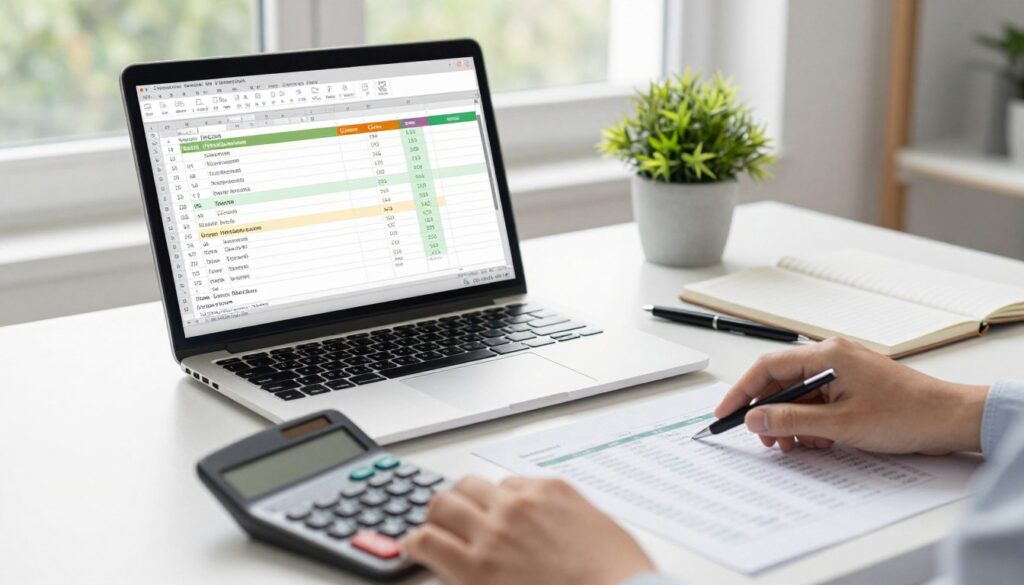
For low-volume invoicing, spreadsheets feel practical and let teams move quickly. The main strength of excel is that it is familiar, flexible, and fast to start when only a few bills are needed.
Manual entry and the cost of mistakes
Manual data entry across customer names, addresses, items, and totals raises the chance of mistakes. Even one wrong digit or a copied field can delay approvals and payment.
Invoice numbering discipline
Every invoice number must be unique and sequential. Gaps or duplicates force cancellations, credit memos, and reissue work that wastes time and frustrates customers.
Tax totals and verification time
Formulas cut arithmetic slips but do not remove the need to recheck tax logic when rules change. Teams spend extra time verifying calculations, especially when tax treatment varies by item or customer.
Recurring billing and reminders
Recurring invoices become manual work. Recreating invoices each month and tracking reminders steals time and leaks money through missed follow-ups.
Recordkeeping risks
Local files and scattered excel spreadsheets risk data loss if a device fails. Backups and version control add hidden admin overhead.
- Good for: quick starts and very low volume.
- Watch out: human errors, invoice number gaps, tax checks, and time lost on repeats.
Bottom line: spreadsheets can work early on, but as volume, compliance, or staff handoffs increase, the chance of costly mistakes and lost money grows.
e-Invoice Accounting Software: What Dedicated Tools Do Better Than Spreadsheets
Dedicated billing tools take routine invoicing tasks off your team’s plate with predictable steps and fewer mistakes.
Automation that saves time
Automation can cut manual work by up to 10 minutes per invoice, a real gain when month-end arrives. One-click invoice creation, saved customer and item lists, and fewer copy/paste steps speed daily work.
Built-in guardrails and controls
Invoicing software offers validation for mandatory fields so fewer invoices go out incomplete. Systems auto-generate invoice numbers, dates, due dates, and standard payment terms to keep records consistent.
Accurate tax handling and reporting
Tax is calculated automatically when you pick the right rate. The tools produce sales tax reports that improve cash flow visibility and make month-end routines cleaner.
Centralized data and support
Central customer and product data reduce typos and duplicate entry. Many platforms include customer support and learning resources that solve questions faster than spreadsheet troubleshooting.
| Feature | Spreadsheet | Dedicated tool |
|---|---|---|
| Time per invoice | Manual, variable | Up to 10 min saved via automation |
| Compliance checks | Manual review needed | Field validation and guardrails |
| Tax reporting | Manual summaries | Auto-generated sales tax reports |
| Data storage | Local files | Cloud storage and backups |
Side-by-Side Comparison: Excel vs. Accounting/Invoicing Software for e-Invoice
A side-by-side look shows how a quick spreadsheet start compares with a full invoicing platform over real daily tasks.
Speed and workflow
Spreadsheets are fast to begin but force many manual steps: create, copy, send, and chase payments. This adds extra checks and duplicated work.
Invoicing software automates creation, reminders, and payment tracking. Teams save time and reduce errors when sending invoices and logging receipts.
Scalability
As a business grows, spreadsheets break under more customers, more invoices, and more data handoffs. Version control and manual merges slow teams down.
Dedicated tools scale with lists, user permissions, and automation. They handle high volumes without new administrative overhead.
Professionalism, cross-border, and document ecosystem
Templates and an invoice designer keep branding consistent. Multi-currency and language support are built into many platforms, avoiding manual rate lookups.
Software also creates quotes, proforma invoices, receipts, and delivery notes and converts a quote into an invoice. This reduces duplicate entry and speeds fulfilment.
Accounting connection
Modern tools link invoicing to expenses, bank reconciliation, and accounts payable. Managers gain clearer reports and faster close cycles than scattered spreadsheets provide.
| Area | Spreadsheet | Invoicing software |
|---|---|---|
| Speed per invoice | Quick to start; slow long-term | Fast end-to-end with automation |
| Scalability | Manual scaling; error-prone | Handles volume, users, and permissions |
| Branding & templates | Manual formatting, fragile | Designer tools and consistent templates |
| Cross-border support | Manual rates and translations | Built-in currency and language options |
| Accounts & reports | Reconciles by manual export | Direct links to expenses, accounts payable, and reconciliation |
Rule of thumb: if invoicing touches multiple people, systems, or currencies, switching to a dedicated solution usually pays back quickly in saved time and fewer errors.
Hybrid Options: Keep Excel but Become e-Invoice-Ready with Conversion and Email-Based Delivery
A hybrid path lets teams keep familiar invoice drafts while adding a conversion layer that makes files e-invoice ready. This approach preserves current work habits and adds a lightweight compliance step.

How conversion tools transform files
These tools take a Word, spreadsheet, or PDF invoice and map fields into a structured format. The process reads line items, totals, tax codes, and customer data and rebuilds them into a validated e-invoice file.
Sending and receiving via email or sync
Delivery can happen through email routing or direct sync into accounting software. Email-based routing avoids forcing teams into a new portal and keeps payments flowing with minimal change.
Budget-friendly pricing and practical choice
Many services offer pay-per-invoice plans. This model fits SMEs that lack resources for a full migration and want to scale gradually.
- Practical tip: designate a single source of master customer data to avoid mismatches between drafts and posted records.
- Why it works: you keep drafts where your team is fastest while ensuring recipients and systems get structured, validated data.
Hidden Costs and Common Misconceptions That Affect the Best Choice
A small process flaw can trigger repeated fixes that add up fast in both money and time.
“Excel is free” vs. real costs
Free tools hide expenses: staff hours, rework, correction cycles, and late payments when an invoice is wrong. These items hit cash flow and raise administrative overhead.
“Excel is easier” vs. long-term convenience
Early simplicity fades as file versions multiply and manual follow-ups creep in. Purpose-built workflows reduce repeated tasks and give predictable management of billing.
“We don’t need advanced features” — why analytics and integrations matter
Even small businesses gain from aging reports, cash-flow trends, and CRM links. These features lower the possibility of missed invoices and speed collections.
“The cheapest option today can cost the most tomorrow.”
- Customer support and onboarding cut downtime when rules change.
- Compare monthly invoice count, error rate, and delays to the price of hybrid or full solutions.
Practical lens: pick the path that minimizes risk and supports steady operations, not just the lowest up-front price.
How to Transition in Malaysia Without Disrupting Operations
A smooth transition protects cash flow and keeps daily operations steady while new invoicing rules land. Plan to move in small steps so the team keeps sending accurate invoices during the change.
Assess needs before choosing a path
Start by measuring monthly invoicing volume, common payment terms, number of customers, and product lines. Note who touches invoices and how many approvals happen each cycle.
Data migration basics
Import customer records, items, and recent invoice history into the new system. Run validation checks for names, tax fields, and totals so the first live invoices match records.
Training and onboarding
Define roles: creator, approver, and admin. Set approval rules and a simple escalation path for questions. Short, practical sessions reduce errors and save time.
Integrations to prioritise
Connect payment links or gateways, CRM contact sync, and accounting software so records stay clean and collections improve. These links cut duplicate entry and speed reconciliation.
- Assess →
- Pilot a small customer set →
- Migrate validated data →
- Train staff →
- Integrate key systems →
- Go live and review.
Phased rollout is safest: start with one billing cycle or a subset of customers to protect cash flow and fine-tune processes before full adoption.
Conclusion
Pick the invoicing route that matches volume, reporting needs, and how often rules change.
Spreadsheets work for very low-volume billing, but long-term efficiency and compliance usually point toward invoicing software. A hybrid converter is a good midway way when teams want minimal process change while meeting structured requirements.
Decide based on invoice count, tax complexity, and reporting needs. If error risk or growth is high, choose a dedicated solution. If you need minimal disruption, try a hybrid step first.
Practical next step: shortlist a few tools, run small pilots, and try demos or get free trials. Involve your accountant early to confirm reporting and cash-flow impacts.
The best choice protects cash flow, saves admin time, and scales as your business grows.
FAQ
What do Malaysian businesses mean by “e‑invoice” and why does compliance matter?
An e‑invoice is an electronic invoice in a structured, machine‑readable format that meets tax authority or trading partner rules. Compliance matters because it ensures invoices are accepted for tax reporting, avoids penalties, and reduces disputes. Using compliant formats also speeds processing and improves cash flow by making validation and reconciliation simpler.
Where does e‑invoicing fit into my invoicing and accounting workflow?
e‑invoicing sits between invoice creation and accounting reconciliation. It starts with invoice data capture, moves through validation and transmission in a structured format, and ends with automated posting to ledgers and accounts receivable. Proper integration cuts manual steps and reduces errors across the workflow.
What typically changes when rules, formats, or tax requirements update?
Changes can include new mandatory fields, altered XML/UBL schemas, revised tax rates, or reporting timelines. Businesses must update templates, validation rules, and sometimes connectors to the tax or exchange platforms. Staying current avoids rejected invoices and extra rework.
Is it realistic to keep using Excel while issuing compliant e‑invoices?
You can keep Excel for drafting invoices, but Excel alone rarely produces the structured files required by tax systems. Most firms use conversion tools, add‑ins, or middle‑ware that turn spreadsheet data into compliant e‑invoice formats before transmission.
When might my existing accounting package already support e‑invoicing?
Many modern accounting systems such as Xero, QuickBooks Online, and MYOB offer built‑in e‑invoicing modules or certified connectors for Malaysia. If your vendor lists e‑invoicing or Peppol support, you may only need configuration, not replacement.
When do I need an add‑on, connector, or conversion layer to stay compliant?
Use an add‑on when your software lacks a native export in the government’s required schema, or when you need to transmit via a specific network like Peppol or a local gateway. Connectors automate validation and delivery, reducing manual formatting and rejection risk.
What are the biggest risks of relying on spreadsheets for invoicing?
Manual data entry increases human error, invoice numbering mistakes, and inconsistent tax calculations. Spreadsheets can lead to duplicate or missing invoices, slow recurring billing, and fragile storage that risks data loss if files aren’t backed up securely.
How do invoice numbering rules cause rework if managed in Excel?
Tax rules often require continuous, unique invoice sequences. Excel users who delete rows, copy templates, or manually renumber can create gaps or duplicates. Fixing these issues typically involves audits, amended invoices, and extra communication with customers and tax authorities.
Aren’t formulas enough to handle tax and totals in Excel?
Formulas help but don’t eliminate risks. Complex tax treatments, exemptions, and rounding rules need careful validation. Automated software applies consistent rules and logs changes, cutting time spent double‑checking totals and correcting mistakes.
Why does recurring billing become time‑consuming in spreadsheets?
Spreadsheets require manual duplication, scheduling, and sending of recurring invoices. Dedicated tools automate recurring templates, reminders, and retry logic for failed payments, saving hours each month and improving on‑time collections.
How should I manage recordkeeping and storage compared to local Excel files?
Cloud storage and dedicated systems provide version history, backups, and secure access. Relying on local files risks data loss if a device fails and complicates audit trails. Central systems also make retrieval and reporting far easier.
What do dedicated e‑invoice accounting tools do better than spreadsheets?
They automate data entry, enforce mandatory fields, generate compliant invoice numbers and dates, handle tax calculations accurately, and centralize customer and product records. This reduces manual work, improves compliance, and offers clearer cash‑flow reporting.
How does automation save time per invoice?
Automation pulls customer and item data, prefills invoice fields, validates entries against rules, and sends structured files to recipients or tax platforms. That removes repetitive typing, speeds approvals, and shortens the invoice‑to‑payment cycle.
How do these tools provide built‑in guardrails for mandatory invoice fields?
Software validates entries before sending. It blocks incomplete invoices, highlights missing tax IDs or item codes, and enforces formats required by authorities. Guardrails lower the chance of rejections and audits.
Can accounting systems handle invoice numbers, due dates, and payment terms automatically?
Yes. Most systems auto‑increment invoice numbers, apply preset payment terms, calculate due dates, and attach payment links. This enforces consistency and reduces disputes over terms.
How do accounting tools improve tax handling and reporting?
They apply tax rules by jurisdiction, track tax liabilities, and produce reports for filing. Built‑in reports make VAT/GST or SST reconciliation faster and give clearer cash‑flow visibility for planning.
Why is centralized customer and product data important?
Central records prevent typos and duplicate entries that cause billing errors. They speed invoice creation, improve customer service, and feed accurate data into analytics and accounting ledgers.
How do speed and workflow compare between spreadsheets and invoicing software?
Software creates, sends, and tracks invoices faster, with automated reminders and payment reconciliation. Spreadsheets slow teams with manual steps and no built‑in follow‑up tools, increasing days‑sales‑outstanding.
Which option scales better as my business grows?
Dedicated systems scale far better. They handle larger invoice volumes, multiple users, role permissions, and integrations. Spreadsheets become error‑prone and unwieldy as complexity increases.
How does software improve professionalism and branding?
Invoicing tools include templates, logo placement, and PDF generation to keep branding consistent. They also track customer interactions, making communications look more professional than ad‑hoc spreadsheet emails.
What about multi‑currency and language needs for cross‑border customers?
Many accounting platforms support multiple currencies, automatic exchange rates, and localized tax treatments. That simplifies billing international clients compared with manual spreadsheet conversions.
Can software manage a full document ecosystem beyond invoices?
Yes. Most systems handle quotes, proforma invoices, delivery notes, and receipts, allowing smooth conversion between documents and consistent data across the sales cycle.
How well do invoicing systems connect to expenses and reconciliation?
They often sync with bank feeds, automate reconciliation, and connect payables and expenses into a single ledger. This reduces manual posting and speeds month‑end closes.
Is there a hybrid way to keep Excel but still send e‑invoices?
Hybrid options convert Excel or PDF invoices into structured e‑invoices. Conversion tools or services map spreadsheet fields to required schemas, letting you keep familiar workflows while meeting compliance.
How do email‑based delivery and conversion tools work?
Tools can parse emailed PDF/Excel invoices or attach converted structured files to outgoing emails. They also sync received invoices into accounting systems, reducing manual keying for incoming documents.
When is a pay‑per‑invoice model a good fit for SMEs?
Pay‑per‑invoice services suit small businesses with low volumes that want compliance without large subscriptions. They charge only for each converted or transmitted invoice, keeping costs aligned with usage.
What hidden costs should I weigh against “Excel is free”?
Consider time spent fixing errors, late payments from slow processes, audit penalties, and the cost of lost invoices. These often outweigh the apparent savings of free spreadsheets over time.
Is Excel really easier than full software in the long run?
Excel feels easy at first but becomes costly as complexity grows. Software adds onboarding time but delivers long‑term convenience through automation, support, and integrations that save hours each month.
Why might small teams still benefit from analytics and integrations?
Analytics help spot late‑paying customers and cash‑flow trends; integrations reduce duplicate work and speed reporting. Even small teams gain better decision‑making and time savings from these features.
How should Malaysian businesses assess options before transitioning?
Start by measuring invoice volumes, payment terms, and data needs. Map current pain points, then shortlist solutions that support required e‑invoice formats, integrations, and budget constraints.
What are data migration basics to plan for?
Export customer lists, items, and invoice history from spreadsheets or legacy systems. Validate data, clean duplicates, and run test imports. Keep archived originals until verification completes.
What training and onboarding steps ensure a smooth switch?
Define roles and approval workflows, provide short practical training sessions, and set escalation paths for issues. Use vendor support and pilot runs to build confidence before full rollout.
Which integrations should Malaysian firms prioritize?
Prioritize payment gateways, bank feeds, CRM sync, and core accounting software. These save manual work, speed cash collection, and maintain a single source of truth for customer data.