Navigating e-invoicing can feel overwhelming for small firms. New rules from the Inland Revenue Board create strict requirements that affect timing, format, and data fields.
This short guide highlights typical errors that slow down submissions and interrupt operations. We show how proper software and an ERP link can cut manual entry and reduce rejections.
Understanding the process helps you meet compliance and tax standards without costly delays. The right solution ensures each invoice matches format and QR code rules set by regulators.
Read on to learn practical steps to fix common issues, improve submission rates, and keep your business running smoothly. Avoiding these pitfalls protects cash flow and keeps audits simple.
Key Takeaways
- Follow regulatory requirements to avoid rejected submissions.
- Use reliable e-invoicing software or ERP integration to cut manual errors.
- Validate mandatory fields and QR code data before submission.
- Keep tax and compliance details up to date to prevent delays.
- Train staff on proper data entry and process checks.
Understanding the E-Invoicing Landscape in Malaysia
Understanding the regulatory landscape for digital invoicing protects your cash flow and keeps filings accurate.
The Inland Revenue Board of Malaysia sets strict standards for digital billing to improve transparency and tax compliance.
These rules define the required format, mandatory fields, and the way e-invoices must be submitted. Small businesses that ignore these requirements risk penalties and submission delays.

Choosing a robust e-invoicing software or an integrated ERP solution helps automate the process. Automation reduces manual data entry and lowers rejection rates.
Many firms struggle because they lack technical details on integration and format rules. This gap causes errors during submission and slows operations.
“When invoices match the prescribed format, submission rates and tax reporting improve.”
Our guide shows practical steps to align your system with current regulations, secure your invoice data, and avoid costly delays in filing.
Common e-Invoice Mistakes Malaysia SMEs Frequently Encounter
Many SMEs face recurring submission roadblocks when digital billing fields or formats do not match the national schema.
Technical Format Errors
Wrong file types and missing fields are top causes of invoice rejection. The LHDN system expects XML or JSON, not PDF. It also requires 55 mandatory fields; missing any one can trigger an immediate rejection.
Data Entry Inconsistencies
Poor data quality — mismatched TINs, incorrect tax codes, or wrong amounts — delays processing and can lead to penalties under Section 120(1)(d) of the Income Tax Act 1967.
Small data slips often force firms to issue credit or debit notes if they miss the 72-hour correction window.
Operational Process Failures
Relying on manual entry raises error rates. Automated API integration with accounting software or an ERP platform cuts errors and speeds submission rates.
- Phase 1 firms began mandatory implementation in August 2024; Phases 2 and 3 followed in Jan and July 2025.
- Always include a unique QR code on validated e-invoice records so customers can verify authenticity.
Takeaway: fix format gaps, tighten data entry rules, and automate processes to improve compliance and reduce delays in business operations.
Strategic Approaches to Ensure Compliance and Accuracy
A well-designed integration makes compliance a routine task rather than a last-minute scramble.
Integrating Automated Systems for Seamless Submission
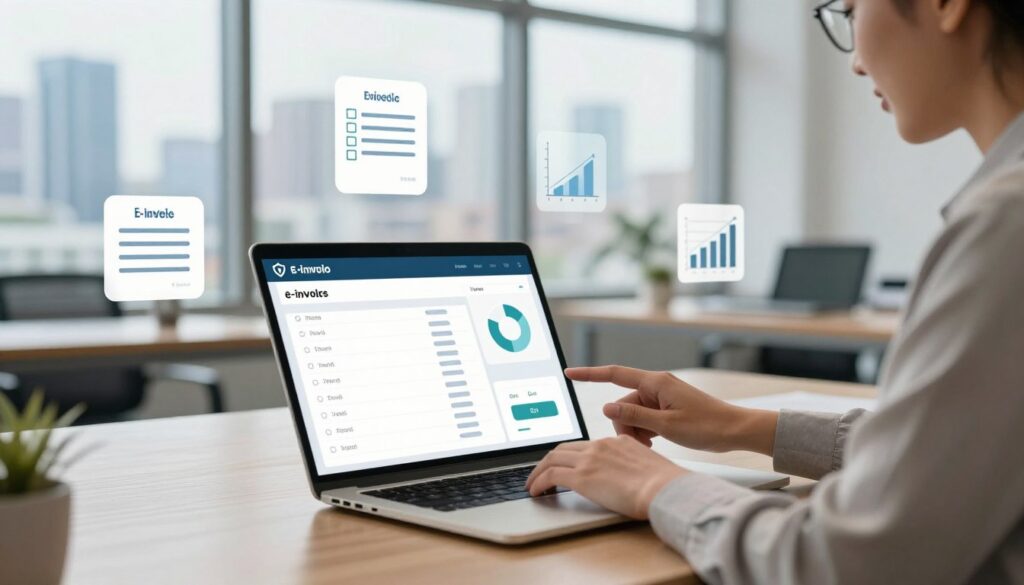
Automated API integration between your accounting software and the MyInvois portal reduces manual data entry errors. Modern tools like Xero and SQL Accounting Cloud can be configured to match the required format for submission.
Focus on validation: invest in an e-invoicing solution that checks all 55 mandatory fields before you submit to the LHDN. This prevents rejections and saves time.
Practical steps:
- Link ERP and accounting systems to allow seamless data flow and fewer entry mistakes.
- Use software that auto-generates XML or JSON to meet technical requirements.
- Set internal review checks to catch incorrect tax calculations and missing customer details.
| Action | Benefit | Tool Example | Impact |
|---|---|---|---|
| API Integration | Fewer manual entries | Xero, SQL Accounting Cloud | Lower rejection rates |
| Field Validation | Complete mandatory fields | Compliant e-invoicing software | Faster approvals |
| Master Data Audit | Accurate TINs & addresses | ERP data sync | Fewer submission issues |
| Real-time Tracking | Visibility of invoices | e-invoicing system dashboard | Better cash flow control |
Conclusion and Professional Support
Wrap up your e-invoicing journey by choosing a reliable e-invoicing solution that automates checks and keeps invoice data accurate.
Automation reduces common errors and speeds submission. It also helps your business meet evolving regulations and tax requirements.
Need help? Our team offers implementation support and compliant e-invoicing services to streamline your processes. Call us at +60143422168 for tailored advice.
Get it right once: the right system and software save time, cut costs, and protect operations so you can focus on growth.
FAQ
What are the most common technical format errors businesses face with e-invoicing?
Technical format errors usually involve wrong file types, missing required XML fields, or incorrect character encoding. These cause rejections during submission to tax platforms or third-party clearing systems. Use validated templates from your invoicing software and run test submissions to catch format issues early.
How can data entry inconsistencies affect tax compliance and reporting?
Inconsistent customer details, invoice numbers, or tax codes lead to mismatches between sales records and tax filings. That can trigger audits, fines, or delayed input tax claims. Enforce standard data fields, use dropdowns for tax rates, and reconcile regularly between your ERP and accounting platform.
What operational process failures should small and medium businesses watch for?
Common process failures include lack of approval workflows, manual handoffs, and missing backup procedures for failed submissions. These gaps create delays and errors. Automate approvals, define clear roles, and document escalation steps so invoices move reliably from creation to submission.
How does integration with existing ERP or accounting systems reduce errors?
Integration eliminates manual copy-paste, reducing transcription mistakes and duplicate invoices. When your ERP maps fields directly to the invoicing platform, tax rates, item codes, and customer IDs stay consistent. Choose solutions with native connectors for common platforms like SAP, Oracle, or QuickBooks.
What should I check to ensure correct tax rates and codes on invoices?
Verify that product or service classifications match current tax regulations and that your software updates rate tables automatically. Maintain a simple master list of tax codes and review it with your tax advisor after any regulatory change to avoid incorrect VAT or service tax application.
How can businesses prevent duplicate invoice submissions or numbering gaps?
Implement a centralized invoice numbering system and lock numbers once issued. Use automated validation to detect duplicates before submission. Reconcile serials daily and keep an audit log in your invoicing platform to trace any gaps or overlaps.
What role does user training play in reducing invoicing errors?
Regular training ensures staff follow standardized processes, use correct templates, and understand compliance rules. Short refresher sessions after system updates or regulatory changes keep teams aligned. Combine hands-on exercises with quick reference guides for best results.
Are automated validation checks enough to ensure compliant submissions?
Automated checks catch format, math, and required-field errors, but they don’t replace periodic manual reviews. Combine real-time validation with sample audits and reconcile submitted invoices against accounting records to ensure full compliance.
What steps help with timely submission to tax or clearing platforms?
Establish clear cut-off times, automate batch submissions, and monitor confirmation receipts. Implement alerts for failed submissions and set a backup submission method. Regularly test the end-to-end submission process to avoid last-minute surprises.
How should businesses handle failed or rejected invoice submissions?
Log rejection codes immediately, correct the root cause, and resubmit with a clear audit trail. Keep standardized templates for common rejection types and involve technical support when format or API errors occur. Fast correction prevents payment and reconciliation delays.
What security practices protect invoicing data during transmission and storage?
Use TLS/SSL for data in transit and encrypt sensitive fields at rest. Limit access with role-based controls and enable multi-factor authentication for invoicing platforms. Regularly back up invoice data and test restores to ensure business continuity.
How can small businesses choose the right invoicing software to meet regulatory needs?
Select vendors with proven compliance records, clear roadmaps for regulatory updates, and support for local tax rules. Prioritize solutions offering integrations with your accounting system, automated validations, and accessible support channels. Trial the software with live data before full adoption.
What are best practices for keeping invoice metadata accurate and searchable?
Standardize naming conventions and required metadata fields like customer VAT ID, invoice date, and document type. Tag invoices consistently and use searchable fields in your platform. Regularly archive and index older records to maintain performance and audit readiness.
How often should businesses review their invoicing processes for compliance?
Review processes at least quarterly and after any regulatory update or major system change. Conduct sample audits monthly to catch recurring issues. Frequent reviews reduce the risk of systemic errors and keep teams prepared for external audits.