June 2024 marked the start of a major shift to digital tax filing in the country. Many small companies began adapting accounting and ERP systems to meet the new rules.
The Inland Revenue Board requires a strict format and 55 mandatory fields per invoice. Missing details can trigger rejections, delays, or financial penalties that hurt cash flow.
Understanding the MyInvois portal and how your e-invoicing system exchanges data is key. Proper planning avoids common errors during implementation and keeps operations smooth through the July 2025 compliance deadline.
Our short guide highlights practical steps to improve data accuracy, ensure each document meets format rules, and prepare software integration. Use these tips to protect revenue and stay on the right side of tax regulations.
Key Takeaways
- Start system updates early to meet the July 2025 deadline.
- Know the 55 mandatory fields to avoid invoice rejections.
- Test ERP and accounting integrations before full rollout.
- Use MyInvois portal guidance to streamline submissions.
- Accurate data entry reduces penalties and processing delays.
Understanding the E-Invoicing Landscape in Malaysia
Since rollout began, the national e-invoicing program has reshaped how companies submit tax documents.
More than 7,400 companies have onboarded, producing over 58 million e-invoices by October 14, 2024. The Inland Revenue Board built this platform to modernize tax reporting and boost the digital economy.
Businesses must ensure their accounting software and ERP systems generate documents in the required format. Accurate data entry is vital because a wrong Tax Identification Number can cause instant rejection and delays.
Integration matters. Large firms need to meet API requirements for high-volume submission. Small firms can use the MyInvois portal as a practical platform for manual or semi-automated invoicing.
- Automate mandatory fields with a robust e-invoicing solution to cut human error.
- Test your systems early to avoid penalties and operational downtime.
- Prioritize accuracy in data entry to protect cash flow and reduce rejections.
Common e-Invoice mistakes Malaysia SMEs should avoid
Diverse issues trigger rejections and slow operations. Small teams must watch both automated validation and manual entry to keep submissions flowing.
System-Detected Errors
Automated checks flag invoices when required fields are missing or use the wrong format. The 55 mandatory fields must be complete and follow XML or JSON structure set by the Inland Revenue Board.
A single wrong code or field name can cause an instant rejection. Integrated e-invoicing system validation helps catch these before submission.
Human-Induced Errors
Typographical errors in Tax Identification Numbers or pricing details are common. These simple slips create delays, penalties, and extra work during audits.
- Train staff on data entry and format rules.
- Use accounting and ERP software to auto-validate customer details.
- Run test submissions on the MyInvois portal before full implementation.
Fixing both system and human gaps lowers rejection rates, protects revenue, and keeps your business compliant with national tax requirements.
Navigating the MyInvois Portal and API Integration
Deciding how to submit invoices sets the tone for your compliance and daily operations.
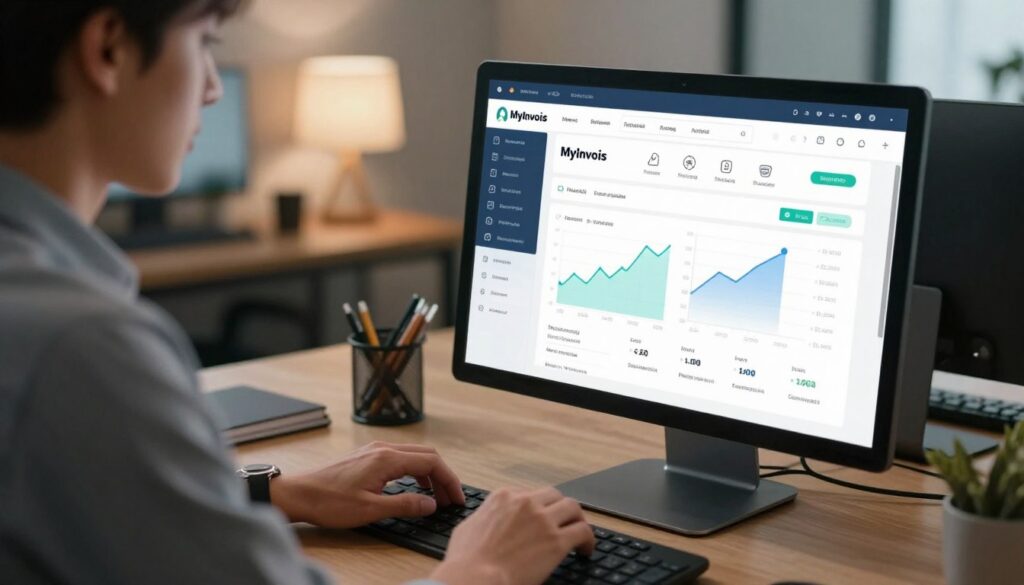
The MyInvois portal is ideal for small teams that need a simple interface for manual entry. It centralizes tax information and helps businesses manage records without heavy IT work. Manual entry, however, raises the risk of human errors and slower processing.
Choosing Between Manual and Automated Submission
For higher volumes, API integration is a better fit. Automated systems validate e-invoices and ensure each invoice carries the correct digital code and format. EasyStore’s API, for example, returns validation results in about 2 seconds, cutting delays and reducing rejections.
- Manual entry: Low setup cost, higher oversight needed, more entry errors.
- API automation: Fast validation, fewer submission delays, better accuracy.
- Integration with accounting/ERP: Keeps customer details consistent and simplifies the 55 mandatory field implementation.
Choose a solution that matches your volume and IT capacity. Transition plans that combine portal checks and staged integration help firms move from manual entry to a robust automated system with minimal disruption.
Why Structural Compliance Matters for Your Business
Clear structural rules ensure each file is parsed correctly by tax platforms.
The government requires a strict hierarchy and format so every invoice is machine-readable. This structure helps the MyInvois portal validate the digital code and mandatory details before acceptance.
With over 60 countries using the Peppol network, following these international standards helps local businesses trade and exchange e-invoices smoothly. Noncompliance risks rejection and cash-flow disruption.
- Prevent rejections: Proper format reduces instant validation failures.
- Protect cash flow: Fewer rejections mean faster payment cycles.
- Future-proof systems: Integration with accounting software eases ongoing implementation of new requirements.
| Risk | Impact | Mitigation |
|---|---|---|
| Structural errors | Invoice rejection; delayed payment | Standardized e-invoicing solution |
| Incorrect data | Audit flags; penalties | Automated validation in accounting software |
| Nonstandard codes | Parsing failures across systems | Map codes to regulatory requirements |
Managing Rejections from Buyers and Suppliers
When an invoice hits a snag, a swift, structured response avoids longer disruptions.
Buyer Rejection Reasons
Buyers typically reject an invoice when details do not match the purchase order or contract. Manual data entry errors in price, quantity, or customer IDs are common causes.
Tip: Cross-check order numbers and key fields before submission to cut rejections.
Supplier Cancellation Rights
Suppliers can cancel an invoice within the allowed window if they spot an incorrect amount or a duplicate. Cancelling quickly keeps ledgers accurate and avoids follow-up tax adjustments.
The Seventy-Two Hour Window
The 72-hour window gives both parties time to review and correct issues. The system notifies buyer and supplier when a rejection request is filed.
- Use the window to confirm data and speed resolution.
- Keep records of cancellations for clear compliance and audit trails.
| Action | Who | Benefit |
|---|---|---|
| Reject/Request correction | Buyer | Prevents wrong payment |
| Cancel and resubmit | Supplier | Corrects data quickly |
| Record full trail | Both | Supports tax compliance |
Bottom line: Treat rejections as part of the invoicing process. Good communication within 72 hours improves data quality and speeds implementation for businesses working with e-invoicing systems and tax rules.
The Importance of Accurate Data Entry and Mandatory Fields
Accurate entry of core fields decides whether an e-invoicing submission is accepted or bounced back.
The system validates every field against strict rules. With 55 mandatory fields, a small oversight can delay payment and disrupt your business.
Verify customer details first. Confirm Tax Identification Numbers, addresses, and item codes before sending invoices.
Use automated tools to populate required fields. Automation reduces human error and speeds validation.
- Keep a verification checklist for customer fields.
- Enable automated field mapping in your accounting software.
- Run periodic audits to spot recurring data problems.
| Risk | Cause | Quick Fix |
|---|---|---|
| Submission rejection | Missing mandatory fields | Auto-fill and pre-validation |
| Payment delays | Wrong Tax ID or customer code | Verify IDs before submit |
| Audit exposure | Poor data quality | Regular data audits and staff training |
Strategies for Effective Employee Training
Start with short, practical training sessions to help staff master each step of the digital invoice process. Regular, focused lessons cut error rates and build confidence.
Building internal competency means teaching people the full workflow: data entry, validation, submission, and verification of the digital code.
Building Internal Competency
Hands-on practice with accounting and ERP tools helps employees learn the exact field names and formats required by the e-invoicing system.
Include role-based exercises so billing clerks, approvers, and managers know their responsibilities. Short quizzes and live demos keep skills fresh.
“A well-trained team reduces delays and protects cash flow.”
- Teach staff why accurate data matters to reduce rejections and tax exposure.
- Run periodic refresher sessions when regulations or software change.
- Use a checklist for common fields before submitting invoices.
Leveraging Automation to Prevent Invoicing Errors
A connected accounting stack turns repetitive invoice work into a low-risk pipeline. When e-invoicing is automated, teams no longer rely on manual copy-and-paste for core fields.
Automated tools validate entries in real time and flag issues before submission. This reduces rejections and keeps your business running smoothly.
Integrating accounting software with the national portal syncs customer and transaction data across systems. Modern solutions also generate the required digital code and populate mandatory fields so each invoice meets format rules.
Automation frees staff to focus on strategy instead of repetitive checks. Businesses that adopt these tools face fewer penalties and enjoy better cash flow.
- Real-time validation prevents common entry errors.
- API integration keeps records consistent across platforms.
- Automatic code generation ensures compliant e-invoicing.
Investing in an automated solution is a long-term move that improves efficiency and strengthens tax compliance. As digital commerce grows, automation will become standard for competitive, compliant companies.
Handling Failed Invoices and Resubmission Protocols
When a submission fails, act quickly but methodically. First, identify whether the issue is a data mismatch, formatting error, or a technical problem with the system. Log the failure and capture any error codes for reference.

Resolving B2B Invoice Failures
For B2B transactions, communication is key. Contact your trading partner to confirm the incorrect field and agree on corrections.
- Confirm the error: Match purchase order numbers and Tax IDs before resubmitting.
- Resubmit fast: Send the corrected e-invoice once both sides agree to avoid payment delays.
- Keep a log: Record each failed submission to spot recurring gaps in data or integration.
Addressing B2C Discrepancies
Customer-facing issues require a friendly, clear response. Notify the client, explain the problem, and provide a corrected document.
- Use plain language when you contact the customer.
- Offer a corrected invoice quickly to preserve trust and speed payment.
- Document the interaction and the corrected file for audits.
Record-keeping and compliance: Archive all failed and resubmitted e-invoices for at least 7 years. Maintain a clear trail that shows identification, correction, and resubmission steps.
| Action | Who | Benefit |
|---|---|---|
| Identify error | Billing team | Faster resolution |
| Communicate correction | Buyer/Supplier or Customer | Prevents disputes |
| Archive records | Finance | Audit proof |
“A clear resubmission protocol reduces cash-flow risk and protects customer relationships.”
Following a step-by-step protocol helps businesses close issues quickly and prevents repeat failures. Proper documentation also proves due diligence during audits and supports continuous improvement.
Conclusion
, Closing the loop on digital invoicing means firms must blend accuracy, training, and the right tech partners.
Prioritize clean data, practical staff training, and staged automation so your accounting flow stays reliable and fast. Use API integration with the MyInvois portal when volume grows.
Remember the 72-hour window for corrections and the seven-year retention requirement for records. These rules protect cash flow and ease audits under the Inland Revenue Board.
Partner with a trusted service provider to get technical support and keep up with updates. Embracing these changes now positions your business for better efficiency and growth in the digital marketplace.
FAQ
What are the most common errors SMEs make when sending e-invoices to the MyInvois portal?
The usual problems are missing or incorrect identification numbers, wrong invoice dates, mismatched totals, and omitted mandatory fields. Integration issues between accounting software or ERP systems and the portal also cause formatting and data-mapping failures. Double-check buyer and seller details, ensure required fields follow the MyInvois schema, and validate files before submission to reduce rejections.
How does API integration reduce submission problems compared to manual entry?
An API automates field mapping and enforces format rules, which cuts human typos and speeds up processing. It also allows real-time validation and immediate feedback from the tax authority platform. Manual uploads increase the chance of inconsistent data and slow error correction, while a tested integration streamlines compliance and lowers operational delays.
What should I do if an invoice is rejected by a buyer or the Inland Revenue Board portal?
Review the rejection code or reason, correct the specific field (such as tax ID, invoice number, or amount), and resubmit following the portal’s rules. Keep clear audit trails and timestamps, and communicate changes to the buyer. If the rejection relates to structural schema errors, fix the file format in your software or ask your solution provider for a patch.
Are there time limits for cancelling or correcting invoices after submission?
Yes. Many processes include a 72-hour window for certain cancellations or amendments. Within that period, you can often retract or replace a document following the platform’s procedures. Beyond the window, you may need to issue credit notes or follow formal correction workflows, which can affect accounting records and reporting.
Which fields are mandatory and cause most rejections if left blank or wrong?
Mandatory fields typically include seller and buyer identification numbers, invoice date, invoice number, taxable amounts, tax codes, and total payable. Address and contact details can also be required depending on the transaction type. Missing or incorrectly formatted IDs and tax codes are frequent rejection triggers, so validate those first.
How can businesses prevent human-induced entry errors when staff handle invoicing?
Use standard templates, implement validation checks in invoicing software, and limit manual steps. Train staff on the correct input formats and the consequences of incorrect data. Introducing role-based permissions and an approval workflow reduces accidental changes and improves accuracy.
What are best practices when choosing between manual and automated submission methods?
Choose automation if you process many invoices or use ERP/accounting systems; it reduces recurring errors and saves time. Manual submission can work for low-volume operations but requires strict checklists and double-entry verification. Evaluate costs, expected volume, and your technical capacity before deciding.
How should businesses handle failed B2B invoice transmissions differently from B2C issues?
B2B failures often stem from schema mismatches, buyer system rules, or ID errors; coordinate with the buyer’s IT or standardize on common formats to resolve them. B2C issues typically relate to consumer contact or tax exemptions and may need simpler corrections like reissuing corrected receipts. In both cases, track attempts and keep clear records for audit and reconciliation.
Can automation alone guarantee compliance with the tax authority’s structural requirements?
Automation helps enforce rules and reduce errors but isn’t a full guarantee. You still need accurate master data, updated tax rules, and regular software maintenance to reflect regulatory changes. Combine automation with governance: periodic audits, software updates, and vendor support to maintain compliance.
What steps can reduce the chance of penalties due to invoicing non-compliance?
Maintain accurate taxpayer IDs, follow submission timelines, correct rejections promptly, and keep detailed logs of submissions and communications. Regular staff training, periodic reconciliation between sales ledgers and submitted documents, and using certified invoicing platforms lower the risk of fines or audits.
How do buyer rejection reasons differ from supplier cancellation rights?
Buyers usually reject for data mismatches, pricing errors, or missing compliance elements. Suppliers can cancel within allowed windows for duplicate or erroneous invoices, subject to portal rules. Both actions require proper documentation and agreed follow-up steps to reconcile accounts and keep records aligned.
What should IT teams check during implementation to avoid system-detected errors?
Validate data mapping, check character encoding and file formats, test mandatory field population, and run end-to-end trials with the MyInvois sandbox or the authority’s test environment. Monitor API error responses and build retry logic. Ensure the ERP’s invoice numbering and sequencing match regulatory requirements.
How important is employee training for maintaining invoicing accuracy?
Very important. Training ensures staff understand correct field formats, the platform’s rules, and how to fix common rejections. Short, frequent refresher sessions and practical checklists build competency and reduce reliance on ad hoc fixes that lead to recurring problems.
What records should businesses keep to simplify resubmission and audits?
Keep original invoices, rejection messages, corrected versions, timestamps, and communication logs with buyers or service providers. Store version history for each document and reconcile submitted totals with accounting ledgers. Clear documentation speeds audits and resolves disputes faster.
How can companies monitor and measure invoicing performance to spot recurring issues?
Track rejection rates, root-cause categories (IDs, amounts, formats), average time to correct, and resubmission success rates. Use dashboards from your invoicing solution or BI tools to spot trends and prioritize fixes. Regular reviews help reduce repeat errors and improve operational efficiency.