Getting ready for mandatory e-invoicing means changing how your business handles digital transaction data and tax compliance. The Inland Revenue Board of Malaysia (IRBM) requires e-Invoices to include 55 fields, with 37 mandatory entries that must pass validation.
Start by checking how staff capture supplier and buyer details, document issuance, and customer registration. Move away from manual workflows and toward a digital system that links ERP and software for smooth transactions.
Audit your current setup to spot gaps in data, dates, invoice codes, and payment notes before implementation. Learn the MyInvois portal features so taxpayers can meet compliance and avoid penalties during audits.
Key Takeaways
- IRBM mandates 55 fields, 37 are mandatory for validation.
- Shift from manual processes to a digital-first transaction system.
- Audit ERP and software now to find and fix data gaps.
- Train staff on supplier, buyer, and issuance procedures.
- Familiarize your team with the MyInvois portal to ensure compliance.
Understanding the Malaysia e-Invoice Mandate
Malaysia’s shift to structured invoicing changes how businesses must capture transaction data. The move aims to make tax processing faster and to reduce errors during validation.
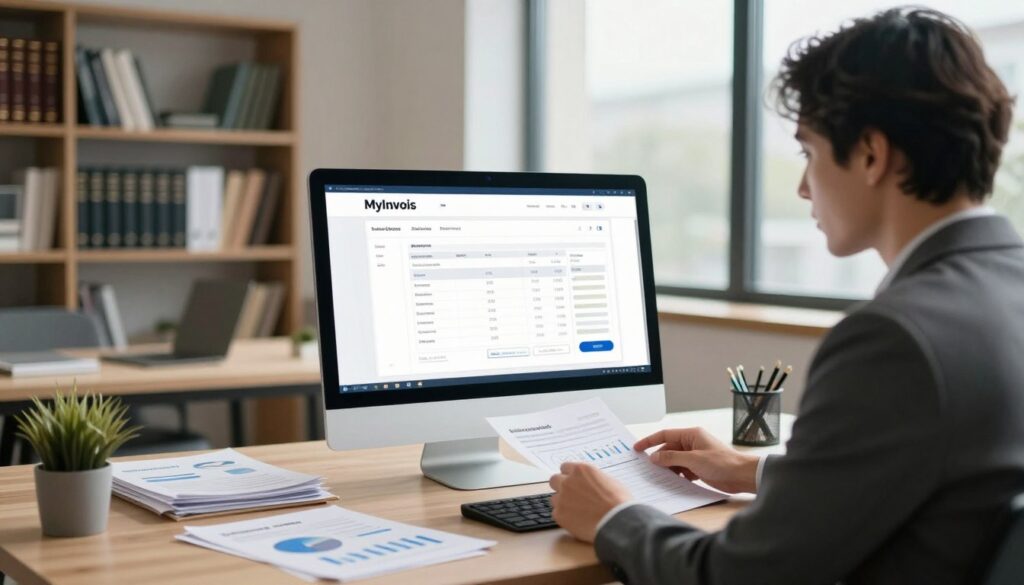
The MyInvois portal plays a central role. It is a free system from the Inland Revenue Board that lets taxpayers issue and validate e-invoices without immediate API integration.
What is an e-Invoice
An e-invoice is a digitally structured invoice that carries specific fields for each transaction. It ensures buyer and supplier details, dates, amounts, and codes meet IRBM standards. This helps with faster tax validation and clear audit trails.
Implementation Phases
- Large taxpayers (over RM100 million revenue) started on 1 August 2024.
- Phase 4 micro and small businesses (up to RM5 million) have interim relief until 31 December 2027.
- Entities under RM1 million revenue remain exempt unless grouped conditions apply.
| Taxpayer Band | Revenue Threshold | Start / Deadline |
|---|---|---|
| Large | Above RM100 million | 1 Aug 2024 |
| Small | Up to RM5 million | Relaxation until 31 Dec 2027 |
| Micro | Below RM1 million | Exempt (conditions apply) |
“Use the MyInvois portal to validate e-invoices and ease integration into your existing systems.”
Determining Your Business Readiness and Timeline
Begin by mapping your business’s revenue bands and internal workflows to know when the mandate applies.
Confirm annual revenue now. The RM1 million threshold is the key marker. If you exceed that level, prepare for mandatory e-invoice compliance.
Review your current system and software. Make sure it can capture the fields required by the myinvois portal and export valid e-invoices. Test one cycle end-to-end to spot gaps in data and date formats.
Every taxpayer must log clear notes on internal steps. This helps teams move quickly on the implementation date without missed tax obligations.
- Check revenue bands and classification.
- Run a technical test against portal field requirements.
- Document internal steps and upgrade needs.
| Action | Who | Target time |
|---|---|---|
| Confirm annual revenue | Finance lead | 1 week |
| System capability test | IT / Vendor | 2–4 weeks |
| Internal process notes | Operations | 2 weeks |
“Plan early and test often to avoid last-minute upgrades and missed compliance dates.”
Why Accurate Accounting Records for e-Invoice Matter
Clear, consistent data transforms how businesses handle e-invoicing and tax submissions.
High-quality transaction details make integration with the MyInvois portal reliable. When each document sent matches internal totals, validation succeeds faster and errors fall.
IRBM allows a 72-hour window to reject or cancel an e-invoice after validation. That brief period means companies need real-time visibility into invoices and related entries.
Good bookkeeping helps taxpayers reconcile revenue and reduce disputes. It also shortens the time teams spend fixing rejected submissions during implementation.
- Accurate data eases system integration and submission to the portal.
- Faster validation cuts the risk of non-compliance penalties.
- Clean entries let companies support audits and tax reporting with confidence.
| Benefit | Impact | Action |
|---|---|---|
| Faster validation | Lower rejection rate | Standardize invoice fields |
| Clear reconciliation | Accurate revenue reporting | Match transactions weekly |
| Improved compliance | Fewer penalties | Monitor submissions within 72 hours |
“Prioritize data accuracy to avoid common pitfalls during e-invoicing rollouts.”
Essential Steps to Clean Up Your Master Data
Begin by cleansing master entries so every buyer and supplier line is match-ready. Clean master data makes e-invoicing smoother and reduces rework during implementation.
Customer details
Verify each customer’s name, registration number, and contact fields against official documents. Small errors in registration or phone numbers often cause portal validation to fail.
Train staff to use consistent formats for addresses and tax IDs. This step cuts manual fixes after submission and protects revenue reporting.
Supplier details
Confirm supplier registration numbers and bank details match invoices. Standardize naming conventions so the system reads every supplier the same way.
Schedule regular audits of buyer and supplier lists. Clean lists help taxpayers meet compliance and speed up the entire e-invoice cycle.
- Standardize fields across systems.
- Log updates and train staff on the chosen formats.
- Run periodic checks before full portal integration.
Standardizing Invoice and Credit Note Numbering
Create a clear, sequential numbering plan so every invoice and related document is easily traceable by staff and system. Use a compact format that combines a unique code, date prefix, and short business identifier.
Handling adjustments
Link credit notes directly to the original invoice. Record the original invoice number, adjustment date, and a reference code on every credit or credit note to avoid mismatches during validation.
- Keep one continuous sequence for invoices and another for credits to prevent gaps.
- Include supplier or branch codes so the myinvois portal and internal teams match documents fast.
- Log issuance and adjustment dates clearly; this step helps taxpayers meet the 72-hour review window during implementation.
- Use the same format across systems to make e-invoicing and reconciliation simpler for businesses.
Consistent numbering reduces errors and speeds audits. A standard approach protects revenue and supports smooth portal submissions while keeping your business compliant.
Improving Transaction Descriptions for Tax Compliance
Short, precise labels on each sale make validation smoother in the MyInvois portal.
Write each transaction so a tax officer can see what was supplied without extra questions. Use plain terms, avoid internal jargon, and include the nature of the supply.
Consistent descriptions help your system match sales lines to tax codes. That reduces rework during e-invoicing implementation and speeds validation.
- State the item or service clearly and add a short qualifier (e.g., “installation”, “monthly subscription”).
- Include a one-line context: quantity, period, or project name when relevant.
- Link each description to the internal invoice number and sales date.
| Action | Why it matters | Quick tip |
|---|---|---|
| Standardize phrasing | Reduces portal queries | Create a short phrase library |
| Include supply details | Supports tax validation | Use a 3–5 word descriptor |
| Train staff | Keeps descriptions uniform | Run weekly spot checks |
“Clear transaction details cut validation time and protect reported revenue.”
Mastering the Art of Payment Matching
Match every bank entry to its invoice before reconciliation begins.
Payment matching keeps cashflow clear and helps with fast submission to the myinvois portal. Effective integration between your ERP and the portal allows many matches to happen automatically.
Every payment must link to the correct buyer and supplier code. This step reduces manual work and speeds validation of e-invoices.
- Pull bank feeds daily and tag against invoice numbers.
- Auto-match via ERP rules, then review unmatched lines.
- Attach proof of payment and note the submission status.
| Step | Who | Outcome |
|---|---|---|
| Auto-match | IT / Finance | Reduce manual reconciliation |
| Manual review | Ops | Resolve exceptions |
| Final verification | Lead | Ready for submission |
“Streamlined payment matching protects revenue and speeds compliance during implementation.”
Managing Unusual Transactions and Adviser Notes
Complex deals—like self-billed arrangements or cross-border work—need a simple, consistent note trail. Clear documentation helps the team and external advisors explain the tax position during implementation.

Self-billed arrangements
Document the agreement and record who issues the invoice and why. Add an adviser note that states the legal basis and any supplier approvals.
Cross-border work
State the supply location, applicable tax rule, and currency details. Keep copies of shipping or service proofs and note any special treatment tied to revenue or sales tax.
Deposits and refunds
Link each deposit to the final invoice and show how refunds were handled. Log credit notes and attach a short explanation to avoid mismatches when the myinvois portal validates e-invoices.
Tip: Use your system’s advanced features to tag these transactions and keep a clear audit trail.
“Adviser notes turn one-off decisions into a reliable reference during audits and system checks.”
Leveraging Accounting Software for Better Workflows
A single integrated system lets teams send validated e-invoices without repeated data entry. This reduces manual steps and shrinks the chance of errors during submission to the myinvois portal.
Use software that automates key processes. Modern tools can create invoices, attach proof, and push structured files to the portal. That saves time and keeps validation rates high.
Advanced ERP modules handle complex data and link sales lines to tax codes. They also give real-time views of revenue so leaders can spot gaps before implementation.
Adopt systems that log each change and keep clear records. A well-integrated setup bridges your internal ledgers and the IRBM, making e-invoicing routine rather than reactive.
“Automate submission and standardize fields to reduce rework and protect reported revenue.”
- Choose software with portal integration and validation checks.
- Automate common invoice tasks to cut manual touchpoints.
- Schedule regular syncs between ERP and your finance system to keep data current.
Navigating the MyInvois Portal Features
Mastering the portal navigation saves time when you must retrieve past transaction details. A quick grasp of menus, filters, and export options helps staff pull the right documents during audits and day-to-day checks.
Searching historical records
Use tight date ranges when you search. Large spans slow the system and return too many results. Narrowing to weeks or months keeps searches fast and reliable.
Train staff to combine date filters with buyer or taxpayer codes. This step makes validation and issuance lookups faster.
The portal supports export and QR code lookup so you can attach proof and speed submission. Learn the export steps to create CSV or PDF files that match your internal process.
- Run small-range searches first, then widen if needed.
- Filter by buyer, code, or registration to pinpoint documents.
- Use QR scan and export tools to speed validation and sharing.
“Proper navigation of the MyInvois portal is a critical step to stay compliant and to access historical invoices when officials request them.”
Best Practices for Long-Term Digital Record Keeping
Maintain searchable digital folders so invoices and credit notes are always easy to retrieve.
Keep files simple and consistent. Use a clear naming code that includes date, client, and document type. This makes search fast during a tax review.
Store files for the required period. Under Section 83 of the ITA, businesses must keep documents for up to 12 years. That timeline protects companies during audit prosecution windows.
Make regular backups and test restores. Use encrypted storage and role-based access to protect sensitive data and notes.
- Export e-invoices from the MyInvois portal regularly.
- Create a step-by-step process staff follow when saving documents.
- Keep an audit log of exports, edits, and backups.
| Action | Frequency | Benefit |
|---|---|---|
| Export from portal | Weekly / Monthly | Complete archive of e-invoicing activity |
| Encrypted backups | Daily | Protects sensitive tax data |
| Staff step guide | Onboarding + annual refresh | Consistent filing and faster retrieval |
“Proper long-term storage and a clear process make compliance less stressful and audits quicker.”
How Professional Assistance Can Bridge the Gap
A specialist can assess your systems and suggest practical steps to meet the new digital mandate.
Professional help closes the gap between current practices and the portal’s technical needs. Experts map data flows and align your accounting entries with validation rules. They also advise on system setup and process changes.
Consultants guide ERP integration and connect your software to the myinvois portal. This speeds implementation and reduces trial-and-error. They tune mappings, test exports, and train staff on new workflows.
For businesses above RM1 million, external support is often essential. Complex tax cases, grouped entities, or high transaction volumes benefit from specialist oversight. That lowers the chance of penalties and missed deadlines.
Working with professionals frees your team to focus on core operations. It also unlocks advanced features in your systems and improves long-term compliance readiness.
- Gap analysis and project planning
- ERP and software integration testing
- Training, change management, and post-implementation support
| Service | Benefit | When to engage |
|---|---|---|
| Gap assessment | Clear remediation plan | Before implementation |
| ERP integration | Smoother data exchange | During technical setup |
| Ongoing support | Faster issue resolution | After go-live |
“Expert guidance reduces implementation risk and ensures your business meets portal requirements.”
Conclusion
A final readiness check ties together data quality, system links, and staff confidence. Make a short checklist and run one live cycle before the deadline.
Keep processes simple and use trusted software to reduce manual work. Train teams to use the myinvois portal and to follow the new workflow every day.
Accurate invoice design and consistent data hygiene protect your business and ease tax reporting. Start small, test often, and scale changes across operations.
Begin preparation now so your company can meet the digital mandate with calm and control.
FAQ
What should businesses do to prepare accounting records before Malaysia’s e-Invoice starts?
Businesses should review and clean master data, confirm customer and supplier details, standardize invoice and credit note numbering, and align ERP and billing systems with submission formats. Check transaction descriptions, map tax codes, and ensure staff know the new processes. Run test issuances and validate data with your software provider before go-live.
What is an e-Invoice under the Malaysia mandate?
An e-Invoice is a digital invoice format required by the tax authority for certain transactions. It contains structured transaction data for submission through the MyInvois portal or integrated software, enabling faster validation, fewer manual errors, and real-time tax reporting.
How are the implementation phases typically structured?
Phases usually include registration and system readiness, pilot testing with sample transactions, phased rollouts by taxpayer size or sector, and full mandatory submission. Each stage involves validation, staff training, and incremental integration with ERP and payment systems.
How do I determine my business readiness and timeline for e-invoicing?
Assess your current systems, volume of invoices, ERP integration needs, and staff capacity. Create a timeline that includes data cleanup, software updates, testing with the MyInvois portal, and contingency time for fixes. Prioritize high-volume suppliers and buyers first.
Why do accurate financial documents matter for e-invoice compliance?
Accurate documentation reduces validation failures, speeds up tax submission, and lowers audit risk. Clean data improves matching of payments, streamlines credit note processing, and helps you meet thresholds such as RM1 million turnover requirements when applicable.
What essential steps help clean up master data before e-invoice goes live?
Standardize names and addresses, verify tax registration numbers, remove duplicate records, and ensure consistent currency and tax code usage. Reconcile open invoices and credits so historical data aligns with future submissions.
How should I verify customer details for e-invoicing?
Confirm legal names, tax IDs, billing addresses, and preferred contact emails. Ensure buyers’ registration status is updated in your system to avoid rejection during validation on the portal or through API integrations.
How should supplier details be handled?
Request accurate tax registration numbers and official names, update supplier master files, and capture any special billing arrangements such as self-billing or third-party settlements. This prevents mismatches during tax authority checks.
How do I standardize invoice and credit note numbering?
Create a clear numbering scheme that avoids gaps and duplicates, apply prefixes for different document types, and document rules for voided or adjusted invoices. Ensure your ERP or invoicing software enforces the sequence.
What is the best way to handle adjustments and credit notes?
Issue credit notes tied to the original invoice reference, include reasons and tax details, and submit them promptly through the portal or API. Maintain clear links in your system for reconciliation and audit trails.
How can transaction descriptions be improved for tax compliance?
Use concise, standardized descriptions that match tax codes and product or service classifications. Avoid vague wording; include item-level details and applicable tax rates so validators and auditors can quickly verify the nature of transactions.
What practices help with payment matching under e-invoicing?
Implement consistent invoice references on remittances, reconcile payments daily, and use automated bank feeds where possible. Tag partial payments and apply credits with clear notes so settlement records align with submitted documents.
How should businesses manage self-billed arrangements?
Document agreement terms, capture supplier consent, and ensure the issuer includes correct tax details and references. Submit self-billed invoices through the portal with traceable supplier identification to avoid disputes.
What considerations apply to cross-border transactions?
Verify VAT/GST treatment, include correct country codes and tax explanations, and ensure invoice lines reflect import/export values. Coordinate with customs, payment processors, and tax advisers to meet both Malaysian and foreign compliance rules.
How are deposits and refunds handled in e-invoicing?
Record deposits with clear references and issue final invoices showing deposit deductions. For refunds, issue credit notes linked to the original invoice and record the payment reversal in your system for reconciliation and tax reporting.
How can accounting software improve e-invoice workflows?
Use software that supports MyInvois APIs, automates validation, enforces numbering rules, and maintains audit trails. Features like bulk issuance, automated tax code mapping, and payment matching reduce manual work and submission errors.
What MyInvois portal features should I know about?
The portal allows direct submission, validation feedback, and historical lookup of issued e-invoices and credit notes. It supports search, status tracking, and download of transaction data for reporting and reconciliation.
How can I search historical records on the portal?
Use filters such as date range, taxpayer ID, invoice number, and status. Export results for reconciliation and keep local backups to ensure long-term access and audit readiness.
What are best practices for long-term digital record keeping?
Maintain backups, keep clear metadata for each document, use secure cloud storage with access controls, and retain documents for the legally required period. Ensure records are searchable and linked to original submissions.
When should businesses seek professional assistance for e-invoicing?
Consult tax advisers or certified software vendors when implementing ERP integrations, handling complex cross-border rules, or managing unusual transactions. Professional help speeds compliance and reduces the risk of penalties.