
On 8 August 2025, the Employees Provident Fund launched an official messaging channel to give members and employers faster access to services. The new platform helps people get information and handle account questions without visiting a branch.
The channel works anytime and anywhere, making routine tasks simpler. Members can ask about contributions, check balances, and learn about products using chat. This reduces wait times and trims the steps needed to resolve common issues.
For many users, the shift to a chat-based helpline marked a clear step toward modern, convenient support. The move also reflects the fund’s effort to improve digital communications and meet everyday needs more efficiently.
Key Takeaways
- The channel launched on 8 August 2025 to speed up service.
- Members and employers can access help without branch visits.
- Common tasks like balance checks and inquiries are supported.
- The service boosts convenience and cuts response times.
- This update is part of a wider push to modernize member communication.
Understanding the KWSP WhatsApp Malaysia Service
The new messaging channel was built to cut long hold times and speed up member support.
This chat service lets members check contribution status, withdrawal applications, and other account details in real time. It replaces the need to wait on a telephone hotline or visit a branch for simple requests.
The platform is user-friendly. Automated replies handle routine queries, so many issues resolve without human help. This saves time and simplifies common steps for members and employers alike.
“Moving services to a digital message format makes routine tasks faster and more accessible.”
Employers can use the channel to access corporate compliance information and employer-related service requirements quickly. That reduces administrative delays and keeps payroll-related tasks on track.
- Real-time checks for contributions and withdrawals
- Automated answers for common queries
- Quick access to employer compliance info
| Use Case | Who Benefits | Result |
|---|---|---|
| Contribution status | Members | Faster confirmation without calls |
| Withdrawal updates | Members | Real-time tracking |
| Employer compliance queries | Employers | Quick guidance and documents |
Getting Started with the Official Channel
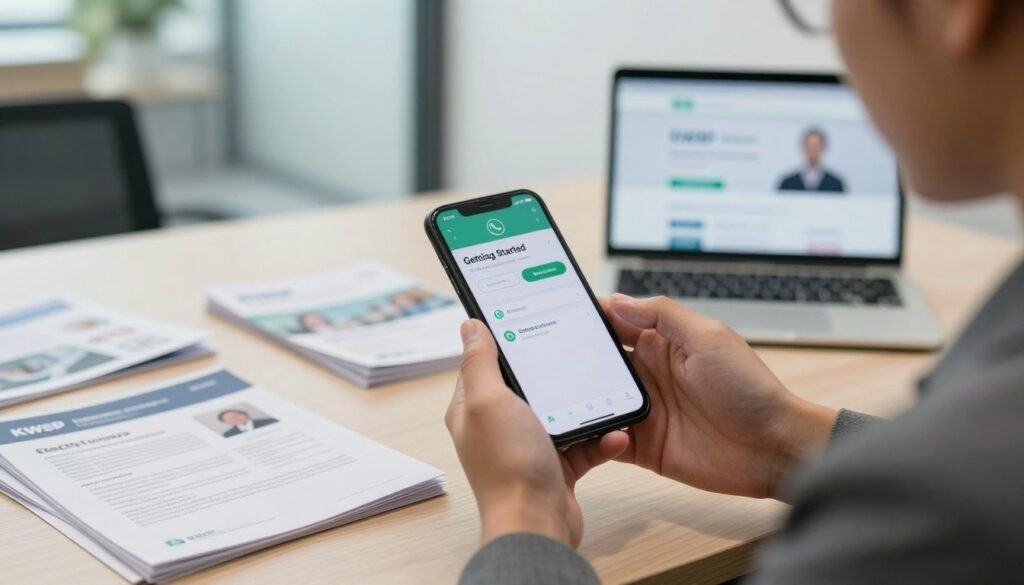
Start here to link your account to the official messaging line in a few simple steps.
Accessing the Platform
Visit the official EPF website or sign in to your personal i-Akaun on web or mobile. From there, look for the chat icon or a QR code that opens the verified line.
Initial Setup
First, save the official contact number 03-8922 6000 into your phone so you can spot the verified account easily.
- Open the EPF site or your i-Akaun app and click the chat icon or scan the QR code.
- Start the chat and type “Hi” to launch the AI-guided menu.
- Follow prompts to check balances, status, or get guidance from the automated system.
These steps help ensure you connect with the genuine channel and avoid third-party impersonators.
Key Features and Capabilities
The platform blends an AI-guided menu, instant automation, and scheduled human support to help members quickly resolve routine and complex queries.
AI Guided Menu
The AI-guided menu is available 24/7 for all users. It organizes topics by product, contribution status, withdrawals, and application updates.
Members can browse options any time, tap a topic, and get step-by-step guidance without waiting. This tool reduces simple tasks into a few clear taps.
Instant Automated Responses
The service sends instant automated replies for common inquiries. These quick answers cover contribution checks, withdrawal status, and application updates.
Instant replies speed up routine checks so members spend less time on hold and more time on action.
Connecting with Live Advisors
For issues needing a human, you can connect with a live advisor during business hours. Support runs Monday to Friday, 8:30 AM to 4:30 PM.
Please plan complex questions around these hours. Live advisor help is not available on weekends or on national and Selangor public holidays.
Staying Safe and Verifying Official Accounts
Protecting your data starts with checking that the chat is the official channel.
Always confirm the verified badge on the account profile before you reply. The green verified mark shows the organization’s official presence and helps you avoid imposters.
Only use the official contact number when messaging about your account. The verified line listed by the fund is 03-8922 6000.
Identifying Official Credentials
Watch for requests that seem out of place. The organization will never ask for passwords, PINs, or full banking details through chat.
- Check for the green verified badge on the account profile.
- Use the official number above; do not rely on other phone numbers.
- Refuse any request for passwords, bank accounts, or sensitive credentials.
- If a message asks for financial data, stop and do not reply.
- Report suspicious chats to the official support channels immediately.
“Stopping a suspicious conversation quickly reduces the chance of fraud.”
| Credential | How to Verify | Action if Missing |
|---|---|---|
| Verified badge | Green check on profile | Do not engage; report |
| Official contact | Use only 03-8922 6000 | Block and report other numbers |
| Request for data | Should never ask for passwords or banking info | End chat and notify support |
Conclusion
This new chat line gives members a faster, clearer way to manage retirement accounts. It blends an AI-guided menu with live advisor support to cut wait times and simplify common tasks.
Always check the account for the green verified badge and the official contact number before sharing details. Doing so helps keep your data safe and reduces the risk of fraud.
The Employees Provident Fund rolled out this digital option to boost access and service quality. Members are encouraged to try the features and use them to stay informed about their financial future.
FAQ
What can members do using the KWSP WhatsApp Malaysia service?
Members can check account balances, request statements, submit basic inquiries, and get guidance on withdrawal rules and contribution details through the official channel. The service also helps with appointment bookings at EPF branches and provides links to forms and calculators.
How do I identify the official KWSP WhatsApp Malaysia account?
Look for verification markers such as the official EPF logo and a verified badge in the contact profile. The official account will list the EPF headquarters number 03-8922 6000 and will never ask for full passwords or one-time passwords (OTPs) via chat.
How can I access the official channel on WhatsApp?
Save the verified contact or use the link provided on the Employees Provident Fund website to open the chat directly. You can also start a conversation by scanning any QR code published on EPF’s official pages or by adding the number 03-8922 6000 and confirming the verified badge.
What initial setup steps are required to use the service?
You only need a WhatsApp-enabled phone and a saved verified contact. After opening the chat, follow the automated prompts to register your phone number with the service and confirm your identity through secure steps the bot provides.
What is the AI guided menu and how does it help?
The AI guided menu offers categorized options like “Account Info,” “Withdrawals,” and “Contributions.” Choose a category to receive tailored responses and links, which reduces wait times and helps you reach answers faster without navigating multiple pages.
Are responses instant and automated?
Yes. The system sends instant, automated replies for common queries. If the bot cannot resolve your issue, it will escalate the conversation to a live advisor or provide clear instructions to submit a formal request online.
How do I connect with a live advisor when needed?
Type a request such as “live agent” or select the “Talk to an Advisor” option in the menu. The bot will queue your request and give an estimated wait time. For complex matters, the advisor may request additional documents through secure channels.
Is it safe to share personal information on the chat?
Only provide limited identity details when prompted by the verified account. Never share passwords, full bank PINs, or OTPs. Official communications will use secure verification steps and will display the verified badge before asking for any sensitive data.
What should I do if I suspect a fake account or scam?
Do not respond. Report the contact to WhatsApp and notify EPF through their official website or by calling 03-8922 6000. Block the number and avoid clicking any links sent from unverified sources.
Can I get official documents and statements via the service?
Yes. The service can deliver e-statements, contribution summaries, and confirmation letters. It will provide secure download links or guide you to the EPF portal for authenticated copies.
Are there limits to what the chat service can handle?
The chat handles routine inquiries, document delivery, and appointment bookings. It cannot complete complex account changes that require in-person verification or process some legal forms without follow-up at an EPF branch.
What hours is the service available and how long are typical wait times?
Automated replies run 24/7 for basic requests. Live advisor hours follow EPF customer service schedules; wait times vary by demand. The bot will share estimated wait times when queuing you for a human agent.
How does the service protect my data and privacy?
The official account follows EPF’s data protection policies and uses secure transmission for sensitive documents. It will only request the minimum data needed and will never ask for full passwords or OTPs through chat.
Can I use the service for employer-related contribution queries?
Yes. Employers can ask about contribution procedures, submission statuses, and compliance guidelines. The chat may redirect to employer-specific portals or provide contact details for employer services.
Where can I find more information or get help if the chat doesn’t resolve my issue?
If the chat cannot resolve your concern, it will provide phone support options or direct you to the EPF website and the contact number 03-8922 6000 for further assistance.