Starting 1 August 2024, the Inland Revenue Board launched a phased shift to standardized e-invoicing for commercial transactions. This change means every invoice must meet strict field and validation rules to be accepted by the revenue board malaysia.
Each e-invoice includes 55 fields, with 37 mandatory for successful validation. Sellers and suppliers need clear guidance on the invoicing process, TIN handling, and portal api integration using MyInvois portal api. Timely compliance reduces risk of penalties and keeps daily operations smooth.
This introduction outlines why correct issuance of e-invoices, system integration, and record practices matter. Our team presents practical solutions and scenarios to help your company meet the new requirements and support buyers who request specific documentation.
Key Takeaways
- The IRBM began phased e-invoicing on 1 August 2024.
- Every e-invoice must contain 55 fields; 37 are mandatory for validation.
- Use MyInvois portal api and portal api integration to streamline transactions.
- Manage your TIN and identification number to avoid compliance issues.
- Follow validation rules to ensure records meet revenue board malaysia standards.
Understanding the E-Invoicing Landscape in Malaysia
A valid e-invoice serves as the digital proof that links a supplier to a buyer for every sale.
What are e-Invoices
An e-invoice is a structured digital record that replaces paper receipts. It captures the same details as a paper invoice but in XML or JSON formats required by the inland revenue board.
These documents provide a secure, machine-readable trail for each transaction. They speed processing and cut manual entry errors for businesses and suppliers.
Importance of Digital Compliance
The revenue board introduced e-invoicing to raise transparency and strengthen tax compliance. Every transaction between a supplier and a buyer must be recorded in the official system.
Compliance reduces audit risk, improves reporting accuracy, and protects both buyer and seller from disputes.
| Benefit | Impact | Who Benefits |
|---|---|---|
| Standardized format (XML/JSON) | Faster validation and automated checks | Businesses, revenue board |
| Digital record keeping | Lower error rates and quicker reconciliations | Supplier, buyer |
| Regulatory visibility | Improved tax reporting and audit trails | Inland revenue, business |
Cross-Border eCommerce Malaysia: Tax, SST and e-Invoice Guide for Sellers
If you sell internationally, your billing platform needs to conform to the revenue board’s structured invoice format.
Sellers must adapt systems so every invoice and e-invoice captures the required fields for validation. When a foreign supplier cannot issue a standard document, the buyer may create self-billed e-invoices to record the cost.
Maintaining tax compliance keeps businesses audit-ready and reduces fines. Every e-invoice must describe the transaction clearly so authorities can validate the data fast.
- Standardize how you log supplier details and transaction values.
- Train teams to spot missing fields and generate corrective invoices quickly.
- Document self-billed e-invoices when suppliers cannot provide compliant documents.
Simple, consistent invoicing lowers risk and improves reporting accuracy. Follow these steps to keep your business compliant while handling high-volume international transactions.
Determining Your Business Compliance Timeline
Know your revenue band to plan ahead for e-invoicing compliance. The inland revenue board uses turnover thresholds to stage implementation. Start by checking your latest annual turnover to see which phase applies to your company.
Turnover Thresholds
Large firms with annual sales above RM100 million were the first to implement the new rules. Phase 4 covers smaller operations with turnover up to RM5 million.
Phase 4 businesses have an extended interim relaxation until 31 December 2027. Their mandatory start date remains 1 January 2026, but full penalty enforcement begins on 1 January 2028.
- The inland revenue board sets clear thresholds so businesses know when to act.
- Check your turnover now to avoid unexpected tax or compliance penalties.
- Even exempt firms must monitor revenue changes and prepare systems for e-invoices.
| Phase | Turnover Range | Key Dates |
|---|---|---|
| Early adopters | > RM100 million | Mandatory — initial phase |
| Phase 4 | Up to RM5 million | Mandatory 01‑Jan‑2026; Relaxation until 31‑Dec‑2027; Penalties 01‑Jan‑2028 |
| All businesses | Any | Refer to revenue board malaysia guidance for details |
Plan now. Use official guidance from the inland revenue to confirm your status. Proper preparation for e-invoicing reduces operational disruption and helps you meet tax obligations on time.
Selecting the Right Transmission Mechanism
Deciding how you send e-invoice data affects daily operations and audit readiness. Choose a method that fits your volume, tech skill, and compliance needs.
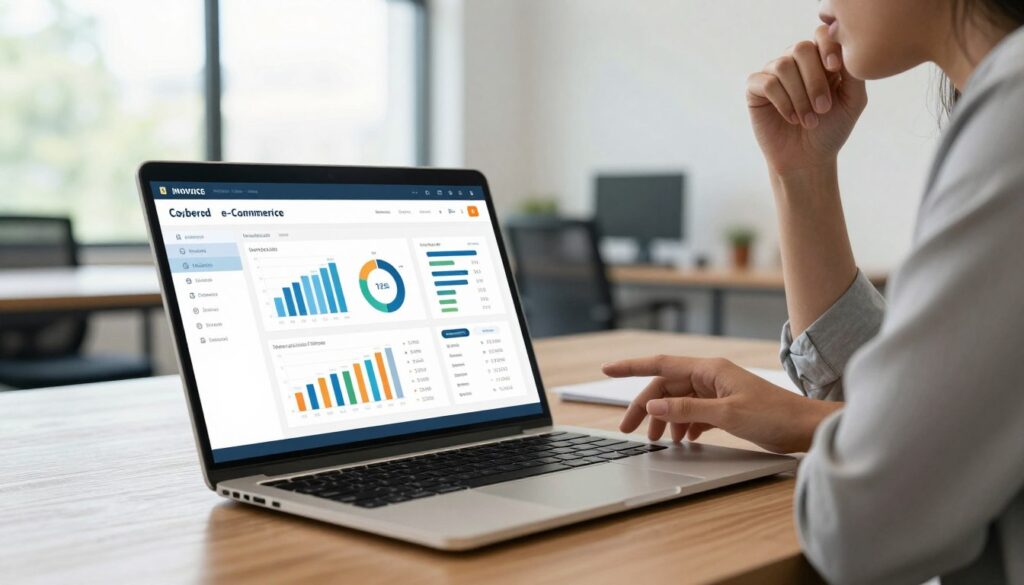
MyInvois Portal
The MyInvois portal is a free, web-based tool from the revenue board. It suits MSMEs and small sellers with lower transaction counts.
Use the portal when you need a simple, manual way to submit invoices without heavy IT work.
API Integration
API integration links your ERP to the authority for automated submission and fast validation of every e-invoice.
Large businesses benefit from portal api integration or myinvois portal api for high-volume flows. Proper integration cuts errors and speeds reporting.
- Pick the portal for ease and low cost.
- Choose API for scale and automation.
- Ensure your supplier systems meet validation rules before you go live.
The Role of Self-Billed E-Invoices in Cross-Border Trade
Buyers step in to issue compliant e-invoice records when overseas suppliers lack access to local invoicing channels. In many cross-border transactions, self-billed e-invoices are required so the sale is visible to the revenue authority.
The buyer becomes the official issuer to ensure the transaction is logged for lhdn e-invoice reporting and audit readiness. This protects the company and helps businesses claim accurate tax deductions.
Practical points to remember:
- When the supplier cannot use MyInvois, the buyer must issue the invoice to avoid gaps in records.
- The buyer is responsible for validation through the official portal and for keeping detailed transaction data.
- Every self-billed e-invoice must show accurate details so compliance and audits are straightforward.
Taking control of the invoicing process reduces the risk of penalties and keeps records clear when dealing with international partners.
Essential Data Fields for Accurate Documentation
A complete invoice record starts with the supplier’s name and identification number. These core entries drive fast validation and clear audit trails.
Buyers must capture every mandatory field: supplier name, TIN, address, a concise transaction description, quantity, and unit price. Missing data causes rejections and delays.
For foreign suppliers without a local tin, use the placeholder EI00000000030 in the identification number field. This ensures self-billed e-invoices validate correctly.
- Check each invoice before submission to avoid common errors.
- Describe the transaction with clear quantities and unit prices for audit readiness.
- Keep records in a consistent format so your business meets compliance and tax reviews.
| Field | Requirement | Why it matters |
|---|---|---|
| Supplier name | Mandatory | Identifies the issuing party for audits |
| Identification number / TIN | Mandatory (use EI00000000030 if absent) | Required for validation and reporting |
| Transaction details | Mandatory (description, qty, unit price) | Ensures correct tax treatment and reconciliations |
Handling Foreign Supplier Transactions
Missing local tax identifiers are common with overseas suppliers, so buyers must apply official placeholders and clear documentation. This keeps each transaction traceable and helps with compliance.
Using Placeholders for Missing Data
Use the standard placeholder EI00000000030 when a supplier does not have a local tin. This ensures the invoice will pass validation with the revenue board.
Buyers must also record currency exchange rates and customs details for every international invoice. These entries support correct tax treatment and reconciliations.
- Buyer responsibility: issue self-billed e-invoices when the supplier cannot provide a compliant document.
- Document fully: include exchange rates, customs codes, and shipment references.
- Store securely: keep self-billed e-invoices for audits and future reviews.
Practical scenarios—when a supplier lacks a tin, the buyer issues the invoice using the placeholder and logs all payment and customs details. Doing so keeps businesses audit-ready and reduces disputes.
Managing E-Commerce Platform Payouts
Platforms that manage merchant payouts must act as the official buyer when issuing self-billed records.

This duty ensures every transaction is recorded and visible to authorities. Using the myinvois portal api lets platforms automate validation and reduce manual errors.
Automation speeds reconciliation for businesses and helps meet strict compliance timelines. Properly created e-invoices protect merchants and the company during audits.
“Treat each payout as a formal invoice: record, validate, and store it.”
- Platforms must issue self-billed e-invoices when they pay merchants, acting as the buyer.
- Validate payouts through the myinvois portal api to save time and improve accuracy.
- Store every invoice securely for future audits and reporting requirements.
Our team helps your company manage these payouts, align invoicing with current tax rules, and keep records audit-ready.
Correcting Errors and Managing Adjustments
A clear error process keeps records clean and audits simple. The system allows a short window to catch mistakes before they become permanent.
The Seventy-Two Hour Window
The 72-hour window is critical. During this time the buyer should review every e-invoice for accuracy.
If an e-invoice is wrong, reject it within this period to trigger cancellation or correction. Acting quickly avoids complex reconciliations later.
Issuing Credit Notes
After 72 hours, corrections must be made by issuing a new invoice or a credit note that adjusts the original amount.
If a supplier made the error, they must use the myinvois portal to cancel and reissue the corrected document. For self-billed e-invoices, the buyer should follow the same steps to keep records aligned.
- Review every transaction immediately; the no. 1 rule is act fast so the identification number and TIN are accurate.
- Issue credit notes promptly to avoid mismatched ledgers and tax penalties.
- Track validation outcomes and store all corrected documents for future audits.
“Prompt correction preserves trust between buyer and supplier and protects businesses from penalties.”
Follow these steps to resolve errors efficiently and keep your bookkeeping ready for any review.
Best Practices for Digital Record Keeping
Good digital record keeping starts with a clear retention schedule that everyone follows. The IRBM requires businesses to keep financial records, including e-invoice files, for seven years. Make this timeline part of your policy so no document is lost.
Store every invoice and self-billed e-invoices in a secure, searchable system. Use cloud backups and regular exports to reduce the risk of data loss. Ensure files are indexed by date, supplier, and transaction type to speed audits.
The buyer must confirm that self-billed e-invoices are archived correctly. Buyers and suppliers should agree on naming rules, retention duties, and access controls before transactions begin.
- Automate saving and indexing so each transaction is captured without manual steps.
- Protect records with role-based access and routine integrity checks.
- Retrieve documents quickly by using clear folders and searchable metadata.
“Organized records are the foundation of compliance and swift audit response.”
Follow these steps to keep your business audit-ready and aligned with compliance requirements.
Navigating Exemptions and Special Cases
Not every payment needs a formal e-invoice; some payments are expressly exempt under current rules. Common examples include salaries, pensions, alimony, zakat, and certain dividend distributions.
Individuals who do not run a business usually do not issue invoices. In these cases, the burden often shifts to the buyer to record the sale or payment.
Why this matters: buyers should know when to skip self-billed e-invoices to avoid extra work and to keep records accurate for audits.
- Navigating exemptions is part of good tax compliance; not all transactions require e-invoices.
- Follow the official guidelines to spot payments that do not need self-billed e-invoices.
- Evaluate each transaction against current regulations so your businesses only document what is required.
“Check each case before issuing an invoice—exemptions save time but must be verified.”
When in doubt, consult experts to handle tricky scenarios and ensure your buyer processes and supplier records meet the latest guidelines.
Integrating Middleware for Operational Efficiency
Middleware acts as a bridge between your ERP and the revenue system. It handles format conversion, retries, and secure submission so developers make fewer changes to core systems.
Using a middleware layer with the myinvois portal api automates the full invoice flow. The tool maps fields, validates entries, and sends each e-invoice for approval. This lowers manual checks and speeds up processing.
Companies that adopt middleware see fewer rejections and faster validation. The solution is especially useful for managing cross-border transactions and complex self-billed e-invoices at scale.
| Benefit | What middleware does | Who gains |
|---|---|---|
| Automated submission | Transforms ERP output to portal format and posts via portal api | Buyer, supplier, company IT |
| Error reduction | Validates fields before send; retries on failure | Businesses handling high-volume transactions |
| Compliance control | Logs audit trails and stores validation results | Finance teams and auditors |
Our team helps you choose and implement middleware solutions that suit your systems. We focus on secure processing, faster reconciliation, and ongoing compliance with local rules.
“Middleware simplifies integration so your teams can focus on growth, not manual invoicing.”
Preparing Your Team for Digital Transformation
Equip staff with checklists and tools that make the invoicing process routine and reliable.
Begin with short, practical training sessions so every team member understands the new requirements. Teach how the system handles validation and where errors usually happen.
Give clear guidelines on handling self-billed e-invoices and when the buyer must step in. Include simple examples of common scenarios with foreign supplier details.
Provide job aids—checklists, quick-reference cards, and canned responses for disputes. These reduce time spent fixing mistakes and improve record quality.
- Run role-based workshops for finance, ops, and support teams.
- Map the invoice workflow so everyone knows their part.
- Use automation where possible to lower manual checks and speed validation.
Our experts offer ongoing support and tailored solutions to help your company meet regulations and keep records accurate. With steady training, businesses can manage transactions confidently and stay audit-ready.
“A trained team turns complex requirements into repeatable, reliable practice.”
Conclusion
Clear e-invoicing processes make audits simpler and day-to-day work faster.
The inland revenue board has set rules to help businesses move to digital records. Follow the revenue board malaysia guidance to reduce risk and keep books tidy.
Use the myinvois portal and portal api to submit e-invoices and speed validation. These tools cut errors and support reliable reporting.
When a foreign supplier cannot issue a compliant document, issue self-billed e-invoices so transactions stay traceable. Keep accurate tax notes and retain records for reviews.
Act now to improve tax compliance, protect cash flow, and stay audit-ready. Thank you for reading—wishing you success with your digital transition.
FAQ
What is the scope of the cross border ecommerce Malaysia tax regime for sellers?
The regime covers transactions where goods or services move across borders and the seller has tax obligations in Malaysia. It focuses on determining whether a business must register with the Royal Malaysian Customs Department or the Inland Revenue Board (Lembaga Hasil Dalam Negeri, LHDN), when to charge sales and service tax, and how to comply with e-invoicing rules via MyInvois or API integration. Sellers should check turnover thresholds, place-of-supply rules, and whether a local tax representative is needed.
What are e-Invoices and how do they differ from regular invoices?
E-invoices are structured, machine-readable invoices submitted to a government validation system before or at the time of supply. Unlike paper or PDF invoices, they follow a prescribed data format and may require validation through the MyInvois portal or a certified portal API. E-invoicing ensures traceability, reduces errors, and supports automated tax reporting to revenue authorities.
Why is digital compliance important for sellers operating cross-border?
Digital compliance reduces audit risk, speeds up tax filings, and improves transparency for buyers and suppliers. It helps businesses meet LHDN and Customs requirements, ensures proper SST treatment, and simplifies record keeping. Compliance also avoids penalties and supports smoother customs clearances on cross-border shipments.
How do I know when my business must start e-invoicing and SST registration?
Start by assessing your annual turnover against Malaysia’s registration thresholds for sales tax and service tax, and any mandatory e-invoice rollout schedule from the Inland Revenue Board. If your taxable turnover exceeds the threshold or you meet specific criteria for digital reporting, you must register and implement validated invoicing within the stated timeline.
What is the MyInvois portal and when should I use it?
MyInvois is the government portal for submitting and validating electronic invoices directly with the tax authority. Small businesses and sellers without in-house systems can use the portal to create, submit, and store compliant e-invoices. It’s suitable for low-volume users or as a fallback while API integration is developed.
What are the benefits of API integration with the portal?
API integration automates invoice submission, validation, and record synchronization between your accounting or ERP system and the revenue board’s platform. It reduces manual entry, speeds up compliance, and supports higher transaction volumes. Certified portal API integrations also improve accuracy and enable real-time status checks for buyers and tax teams.
Can self-billed e-invoices be used in cross-border transactions?
Yes. Self-billed e-invoices are issued by the buyer on behalf of the supplier when both parties agree. For cross-border trades, documentation must still include required identification numbers, place-of-supply details, and supporting data for customs and tax purposes. Confirm acceptance of self-billed documents with the local tax authority and include agreed terms in contracts.
What essential data fields must appear on an e-invoice?
Required fields commonly include supplier name and tax identification number, buyer name and identification number, invoice date and unique invoice ID, description of goods or services, quantities, unit prices, currency, taxable amount, applicable SST rates, and payment terms. For cross-border cases, include country of origin, incoterms, and shipping references as needed for customs.
How should I handle transactions with foreign suppliers that lack Malaysian identification numbers?
Use agreed placeholders or temporary identifiers if the portal permits, and record the supplier’s foreign tax ID and contact details in your system. Where possible, obtain a local tax representative’s input and ensure that cross-border VAT/SST treatment is documented. Retain supporting import/export documents to validate the transaction in audits.
How do marketplace payouts and platform fees affect my invoicing obligations?
Marketplaces that act as payment intermediaries may issue consolidated settlement statements. Sellers must issue compliant e-invoices for goods or services supplied to the buyer, and clearly account for platform fees, commissions, and net payouts. Where the platform acts as the supplier, confirm who is responsible for issuing the tax invoice and recording SST.
What can I do if I discover an error on a submitted e-invoice?
If the portal allows corrections within a specified window, submit an updated document or use the correction workflow. Many systems permit amendments within a short timeframe (for example, 72 hours) after issuance; otherwise, issue a formal credit note and reissue the corrected invoice. Keep audit trails and notify buyers when adjustments affect tax values.
What is the seventy-two hour window and how does it apply?
The seventy-two hour window refers to a short period after invoice issuance during which certain errors may be corrected directly in the validation system without issuing a credit note. Rules vary by authority and scenario. Check the LHDN or MyInvois guidance to confirm what can be amended within this timeframe and follow required logging procedures.
When should I issue credit notes and how are they recorded?
Issue a credit note when you need to reduce the taxable amount due to returns, pricing corrections, or cancellations. Credit notes must reference the original invoice, state the reason, and include adjusted tax values. Submit them through your invoicing channel and retain records for reconciliation and audit purposes.
What are best practices for keeping digital records of e-invoices?
Store invoices in searchable, tamper-evident formats for the required statutory retention period. Use metadata to capture invoice status, validation receipts, and audit trails. Regularly back up systems, enforce access controls, and keep synchronized copies between accounting systems and the MyInvois portal or API logs.
Are there exemptions or special cases I should watch for?
Yes. Exemptions apply to certain government supplies, low-value imports, or specific sectors. Special cases include diplomatic transactions, transit goods, and instances where an intermediary is the taxable person. Consult LHDN rules and Customs guidance to understand applicable exemptions and required supporting documentation.
How can middleware help with operational efficiency for invoicing?
Middleware connects your sales, inventory, and accounting systems to the portal API, handling format transformations, batching, and retry logic. It speeds up integration, enforces validation rules, and provides dashboards for monitoring invoice flows, helping reduce failed submissions and manual work.
How should I prepare my finance and IT teams for the transition to validated e-invoicing?
Train teams on new data requirements, update SOPs, and run integration tests with the MyInvois portal or API sandbox. Assign clear roles for invoice creation, validation checks, and exception handling. Engage a certified solutions provider if needed and schedule phased rollouts to limit disruption.
Where can I get technical support for portal API integration or validation errors?
Seek help from the official MyInvois support channels, certified software vendors, or your tax advisor. The Inland Revenue Board and Customs publish developer guides and API documentation. Use community forums and vendor support teams for troubleshooting integration or data-mapping issues.