
The Employees Provident Fund is Malaysia’s mandatory retirement savings scheme, and knowing how to verify your records online helps you stay in control. This short guide offers clear steps and useful information to help any person confirm their monthly number and account details.
PayrollPanda, a leading LHDN-approved payroll service, simplifies payroll reporting for many employers. By using the official portal and simple online tools, members can verify that their employer posts the correct amount and date for each month.
This guide walks you through accessing member data, understanding the statements, and spotting errors quickly. Regular checks build transparency and peace of mind about long-term savings growth.
Key Takeaways
- Use the official online portal to verify your retirement fund entries.
- Confirm monthly numbers and posting dates to spot any missing amounts.
- PayrollPanda helps employers submit accurate records to the authority.
- Regular verification keeps your long-term savings secure and transparent.
- Keep your personal details updated to ensure statements show correctly.
Understanding the Employees Provident Fund
Understanding how the provident fund operates helps you plan for lifetime financial stability.
What is the EPF
The Employees Provident Fund is a mandatory retirement savings scheme that holds regular payroll deposits for each worker.
Both your employer and the employee send a percentage of monthly pay into the account. This pooled balance grows over time and funds your retirement.
Importance of retirement savings
Consistent savings create financial security in later life. Prioritizing epf savings helps maintain stable income when you stop working.
Employers and employees each play a role. Employers must remit their share on time so your account increases each month.
- The employees provident fund builds long-term security for every employee.
- Knowing how the provident fund works helps you maximize savings and spot missing contribution entries.
- Regular attention to your account encourages steady growth and peace of mind for retirement.
Why You Should Check EPF Contribution Malaysia Regularly
Monitoring your retirement records is a small habit that pays off over decades.
Regular reviews protect your savings and time. When your employer posts the wrong amount, the problem can compound. Catching errors quickly keeps balances accurate and reduces future hassle.
Employees should verify entries each month so missing deposits or late remittances are found fast. This helps ensure that employers meet their legal duties while you focus on work.
- Confirm monthly deposits to protect long‑term growth of your retirement account.
- Spot discrepancies early and save significant time resolving them later.
- Stay vigilant so employers remain compliant with current mandatory rules.
Make it routine: spend a few minutes every month to review your statement. That small time investment gives you clarity and peace of mind as you plan for the future.
Accessing Your Account Through the Official Portal
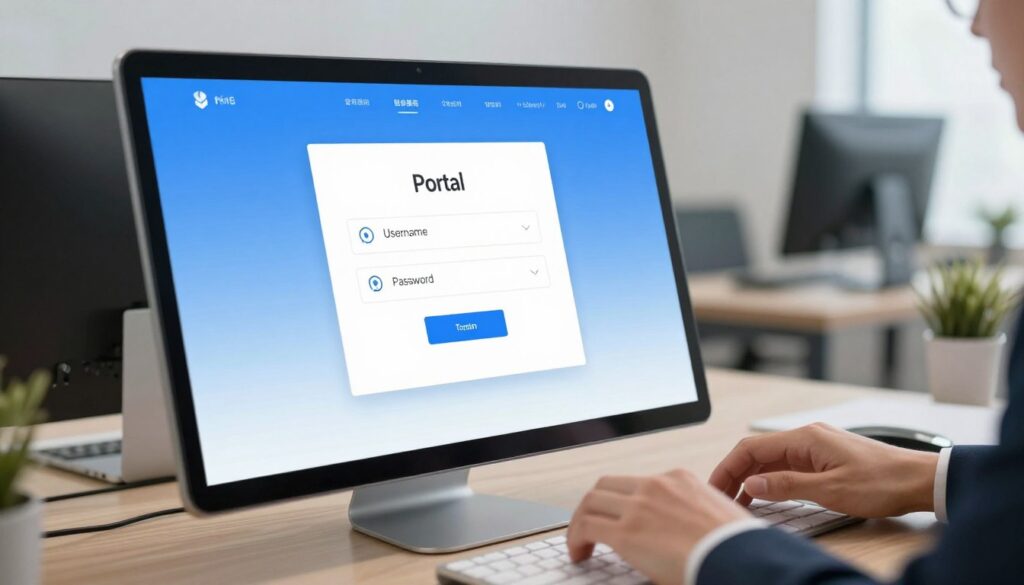
Logging in to the official site lets you see your monthly statement, balance, and posting dates. Use the portal on the epf website to view secure account information. The dashboard displays your latest epf statement and running balance at a glance.
Login requirements
Every person must sign in with a valid member number and a strong password. Keep your password private and update it regularly to protect sensitive retirement data.
Navigating the dashboard
The dashboard groups accounts, recent statements, and posting dates into clear sections. This makes it easy for an employee to review month entries and confirm employer uploads.
- Follow the login steps and enter your member number and password.
- Open the account summary to view statement lines and balance for each month.
- If something is missing, note the number, date, and employer details to report to the nearest epf service or office.
Tip: keep passport and contact details current on the portal so updates reach you without delay.
Using the Mobile App for On-the-Go Updates
Accessing your retirement details from a phone makes staying informed fast and simple.
Downloading the app
Download the official mobile app from your device store and sign in with your member number. The setup usually takes just a few minutes and lets you use secure features right away.
The app lets every epf member view their latest statement and balance while on the move. You can open the dashboard to see the monthly number posted by your employer.
- Use the app to track your contribution history for each month and confirm account totals.
- Tap location tools to find the nearest epf branch or open the mobile epf website for more service options.
- Enable notifications so you get alerts when a new statement posts or the balance changes.
Overall, the mobile app is a secure, convenient way to manage retirement details without visiting an office. It helps you spot errors early and keep your savings on track.
How Contributions Are Calculated for Employees
Knowing how your monthly payroll splits into employee and employer shares makes it easier to verify your account totals.
Employee contribution rates
The employee share depends on gross salary, age, and residency. For a salary of RM5,000, an employee at the standard rate pays 11%, which equals RM550 per month.
Employer obligations
Employers must remit their portion on time and follow legal steps so each employee receives the correct amount. For the RM5,000 example, an employer adds 13% or RM650 each month.
Together, the employee and employer funds total RM1,200 for that month. Employers required to submit accurate numbers help avoid disputes later.
Impact of age and residency
Age and passport status can change the percentage an employee pays. Younger or foreign workers may have different rates, so always confirm the correct band for your age and residency.
- The calculation depends on salary, age, and passport or residency status.
- Use the RM5,000 example to see how the math works: RM550 (employee) + RM650 (employer) = RM1,200.
- By understanding these epf contributions, a person can follow clear steps to verify their monthly totals.
Verifying Your Employer Deductions
Make it a habit to compare your monthly payslip numbers with your online member statement.
Manual calculations are slow and can lead to mistakes. Use an online calculator to display both the employee and employer amounts. This saves time and reduces errors when you total the salary percentages for each month.
When you review your epf statement, match the posted number to the amount shown on your payslip. Employers are required to list the exact deduction so employees see the figure deducted from salary.

- Verifying deductions helps keep your account balance accurate.
- Use an example calculation to confirm the total equals the expected percentage of gross salary.
- If a discrepancy appears on the statement, contact your employer promptly to resolve the issue.
Regular reviews protect long‑term savings and make it easier for a person of any age to track changes. Staying on top of these details helps both members and employers required to maintain clear records.
Interpreting Your EPF Statement Details
A clear read of your statement reveals monthly deposits and the annual dividend credits tied to your account.
Your statement shows the running balance, every employer and employee deposit, and the total dividends credited for the year.
Use the statement as a quick reference to confirm the number of postings each month. Check that each line matches your payslip amounts.
- Look for the posting date, the amount, and the employer name on each entry.
- Note the number of deposits in the last 12 months to spot any missing months.
- Watch dividends posted yearly; these boost your balance through compounding.
If a listed amount differs from your payroll record, contact your employer or the service desk with the statement line and date. Keep copies of payslips to support any query.
| Item | What to look for | Why it matters |
|---|---|---|
| Posting date | Exact day the amount was credited | Shows timeliness and helps trace delays |
| Employer deposit | Employer name and amount | Confirms employer compliance |
| Employee deposit | Amount deducted from salary | Verifies payroll accuracy |
| Dividends | Annual percentage and credited sum | Shows growth from returns |
Managing Your Retirement Savings Strategy
Good planning turns steady deposits into a reliable income later in life. Set clear goals so you know how much to save each month and when you might withdraw funds. Estimating future needs helps you target a realistic number for your long-term fund.
Planning for future withdrawals
Review your statement regularly and track each monthly entry. This helps you confirm contribution growth and spot gaps before they affect your balance.
Understand the withdrawal rules that apply at your retirement age. Knowing timelines and eligibility keeps surprises low and supports smooth transitions from saving to spending.
“Consistent monthly growth is the foundation of a secure retirement.”
Every member should make small adjustments to their plan as their salary or circumstances change. Keep epf savings targets in mind and update estimates when you change jobs or reach a new age band.
| Action | What to track | Why it matters |
|---|---|---|
| Monthly review | Statement line and posting number | Confirms steady savings and correct contribution |
| Withdrawal planning | Eligibility date and rules | Reduces tax or penalty risk at withdrawal |
| Goal check | Projected retirement income | Aligns savings with desired lifestyle |
Automating Payroll for Business Compliance
Modern payroll tools turn complex salary rules into consistent, auditable entries each pay period.
PayrollPanda is a leading LHDN-approved payroll service that helps employers automate calculations. Automated systems remove manual math and cut the risk of errors when posting monthly contributions.
- PayrollPanda lets employers schedule remittances so every employee receives the correct amount based on salary.
- Automated rules compute the employee employer split and record the contribution number for every staff member.
- Businesses can view all employees and their contribution details in one online dashboard.
- The system timestamps each entry with a posting date, which helps resolve queries faster.
- Adopting automation saves time and ensures employers meet legal duties with consistent monthly records.
For any employer who values accuracy, this guide shows that automation is an essential step. It keeps payroll tidy, makes audits simpler, and protects every employee’s long‑term savings with fewer manual interventions.
Conclusion
, Taking a few minutes each month to review your account makes retirement planning easier. Log in to the official portal or use the mobile app to view posted entries and the latest balance.
This guide gave clear steps to verify your epf record and ensure your savings grow as planned. By watching each contribution and the posted amount, you stay in control of your long‑term funds.
Regular monitoring helps spot missing months and resolve issues faster. Stay informed, keep records handy, and make these short reviews a routine for peace of mind about your future.
FAQ
What is the Employees Provident Fund?
The Employees Provident Fund (EPF) is a compulsory savings scheme that helps workers set aside money for retirement. Members and their employers contribute monthly into accounts that grow with dividends and compound interest, providing a financial cushion for later life.
Why is retirement saving important?
Saving for retirement ensures financial independence when you stop working. Regular deposits build a nest egg to cover living costs, healthcare, and unexpected expenses. Early planning reduces stress and increases long-term returns.
How do I access my account through the official portal?
Visit the official portal and sign in with your member ID or passport number and secure password. Once logged in, you can view recent transactions, balances, and statements. Keep your login details private and enable any available two-step verification for extra safety.
What are the typical login requirements?
You usually need your membership number or identification, a password, and sometimes a one-time passcode sent to your mobile. Employers and members should update contact details to avoid login issues.
How do I find information on the dashboard?
The dashboard displays your account balance, recent contributions, and dividend history. Use the menu to download annual statements, check employer remittances, and update personal information.
Can I use a mobile app to see updates on the go?
Yes. Use the official mobile app to access your account, view balances, and receive notifications. The app is convenient for checking deposits and monitoring transactions in real time.
How do I download the official app?
Search for the fund’s official app in the Apple App Store or Google Play Store. Download the verified app, then sign in with the same credentials as the portal. Watch for official publisher details to avoid unofficial apps.
How are employee contributions calculated?
Contributions are generally a percentage of your monthly salary. Rates vary by policy and age group. Your payroll team should deduct the correct portion before sending the employer’s share to the fund.
What are employer obligations for contributions?
Employers must remit their portion and the employee’s deducted share on time. They must also provide accurate member numbers and salary details. Late or incorrect remittances can affect your recorded savings and benefits.
Does age or residency affect contribution rates?
Yes. Contribution rates can change with age brackets and certain residency statuses. Some reduced rates may apply for older members or non-residents, depending on prevailing rules.
How can I verify my employer’s deductions?
Compare payroll slips with your online statement. Look for monthly entries that match your salary and the deduction rate. If entries are missing or incorrect, contact your employer’s HR and the fund’s support team promptly.
What details should I look for in my statement?
Check opening and closing balances, monthly deposits, employer remittances, dividends, and any withdrawals. Confirm your member number, personal details, and transaction dates for accuracy.
How should I plan withdrawals for the future?
Align withdrawals with retirement goals and life events. Understand withdrawal conditions, tax implications, and how taking money early affects long-term savings. Consider meeting a financial adviser for tailored strategies.
How can businesses automate payroll to stay compliant?
Use payroll software that integrates contribution calculations and electronic remittance to the fund. Automating reduces human error, ensures timely payments, and creates audit trails for compliance.