Clear reporting matters for every business that brings items into Malaysia. The national e-invoicing system asks firms to report cross-border transactions so tax claims stay clean and traceable.
The self-billed e-invoice model is mandatory when the foreign supplier is not registered locally. Malaysian buyers must submit a non-resident tax number and mirror the commercial invoice details. Use the MyInvois portal as the primary platform for issuance and submission to LHDN.
Good recordkeeping helps verify the cost, amount, and exchange details that link customs declarations with bank records. Keep each document, K1 entries, and transfer data ready so audits run smoothly. Accurate documentation protects tax positions and keeps transactions compliant.
Key Takeaways
- Self-billed e-invoice is required when suppliers are non-resident.
- Submit documents and the non-resident number via MyInvois for LHDN validation.
- Keep audit trails that match commercial details, bank transfers, and customs entries.
- Accurate issuance and recordkeeping reduce the risk of penalties.
- Malaysia’s system aims to make cross-border tax reporting transparent and consistent.
Understanding the E-Invoice Requirement for Imports
Clear classification matters when a Malaysian buyer records cross-border activity. If the foreign party lacks local tax registration, the local recipient must handle e-invoice issuance and report key details to LHDN.
The importation of physical items refers to goods brought into Malaysia for use, resale, or processing. For intangible purchases, such as cloud services or consulting, the recipient must apply a reverse charge and register the transaction in the system.
Regulatory context
LHDN monitors whether a business classifies transactions correctly. Accurate classification between goods and services helps avoid disputes during an audit.
- Buyer responsibility: local buyers must issue a self-billed e-invoice when the foreign party is outside the Malaysian tax regime.
- Retention: keep all import documents for at least 7 years for verification.
- Reverse charge: apply tax on imported services and record the amount and number used for reporting.
| Import type | Buyer action | Retention |
|---|---|---|
| Physical items | Issue self-billed e-invoice; include line description, value, and currency | 7 years |
| Services | Record reverse charge; capture service name, amount, and tax number | 7 years |
| Mixed transactions | Split entries by line and provide clear description for each | 7 years |
How to Match Supplier Invoice, Customs Form and Bank Payment for Imported Goods
Start with the paper trail. The commercial invoice from the foreign supplier is the baseline for recording cost and line descriptions in accounting.
Next, cross-check that invoice against the K1 declaration. The K1 must show the same customs value, HS code, and duties paid. This step confirms the declared import value matches official records.
Now verify the bank transfer receipt. The proof of payment should match the total invoice value and currency. If the remittance differs, note exchange adjustments and reference numbers.
“Authorities rely on the alignment between the commercial invoice, the K1 form, and the bank payment to verify that goods entered the country legally.”
Keep tidy records. Missing or inconsistent documents can lead to disallowed tax claims. A clear audit trail links supplier paperwork, customs entries, and bank confirmations.
- Compare amounts, currency, and reference number across every document.
- Record any exchange differences and line-by-line descriptions.
- Retain all documents for audit readiness and self-billed e-invoice issuance where required.
| Document | Key field | What to verify |
|---|---|---|
| Commercial invoice | Value, description | Cost, currency, line details match accounting entry |
| K1 import declaration | Customs value, HS code | Declared value equals invoice value; duties recorded |
| Bank transfer receipt | Amount, reference | Payment equals invoice total; reference links to remittance |
The Role of the Self-Billed E-Invoice
Issuance of a buyer-created e-invoice ensures overseas transactions appear in Malaysia’s tax registry.
When a foreign supplier has no local tax registration, the local buyer must issue a self-billed e-invoice. Use the designated non-resident number EI00000000030 for every non-resident supplier. This step brings supplier data, costs, and payment references into the national system.
Select the correct transaction type in the MyInvois platform: choose either Import of Goods or Import of Services. The right selection ensures validation and aligns the record with customs or the relevant service period.
Align the invoice date with the customs declaration date for physical items or the service period for intangible services. Digital reporting improves audit traceability and helps authorities monitor cross-border transactions efficiently.
When to Issue
- Issue a self-billed e-invoice whenever an overseas party cannot provide a local document.
- Record line descriptions, value, currency, and the non-resident number in every entry.
- Keep dates and references aligned with customs entries and bank receipts for a clear audit trail.
“The self-billed e-invoice bridges foreign commercial details with local tax records, making claims verifiable and compliant.”
| Requirement | Action | Why it matters |
|---|---|---|
| Non-resident TIN | Use EI00000000030 | Links foreign transactions to Malaysian tax reporting |
| Transaction type | Select import goods or import services | Ensures correct validation in MyInvois |
| Invoice date | Match customs date or service period | Supports consistent audit records |
Identifying Necessary Documentation for Audit Trails
Auditors expect a clear set of source papers that link an entry in accounts with physical movement and settlement.
Commercial Invoices
The commercial invoice is the primary document. It must show the supplier name, full address, and the total transaction value.
Include line descriptions, unit price, and the non-resident number when issuing a self-billed e-invoice. These details make the sale verifiable.
Shipping Documents
Shipping papers such as the Bill of Lading, Airway Bill, or Packing List prove goods moved into Malaysia. Keep copies that match line items and HS code entries.
Payment Records
Official remittance slips or telegraphic transfer receipts must show the exact amount sent to the foreign supplier. The reference and currency should match the invoice value.
Retain all documents for at least seven years. A tidy packet—commercial invoice, shipping records, and bank receipts—lets buyers and businesses defend tax positions during any LHDN review.
“Keep the core trio of papers together: commercial, transport, and proof of settlement to form an unbroken audit trail.”
Navigating the MyInvois Portal for Compliance
Use the MyInvois portal at myinvois.hasil.gov.my to submit self-billed e-invoice records for imported transactions. The platform accepts manual login entries or API integration so a buyer can push data straight to LHDN.
Enter the supplier name and the non-resident tax number carefully. These details ensure the system links the sale, currency and payment references with local records.
After submission, MyInvois validates the entry. A QR code is issued as proof the self-billed e-invoice passed validation. Keep that QR with your file for audits.
“Submitting via the portal creates a verified trail that ties overseas sale details to Malaysian reporting.”
- Use API for bulk issuance and faster validation.
- Double-check the non-resident number and line details before final submit.
- Monitor the portal regularly for guideline updates and system notices.
| Action | What to enter | Result |
|---|---|---|
| Manual entry | Supplier name, number, value, currency | QR code and validated record |
| API submission | Structured data, references, line details | Faster processing for many transactions |
| Review | Check QR, dates, and payment reference | Audit-ready documentation |
Managing Non-Resident Supplier Information
Assigning a consistent non-resident identifier helps businesses stay compliant when issuing a self-billed e-invoice in Malaysia.
Use the generic TIN EI00000000030 for every non-registered foreign partner in the MyInvois platform. Record the supplier name, country of origin, and full address so the transaction is classified correctly for tax purposes.
Keep an internal database of non-resident information for recurring imports. That record should include contact data, default currency, common reference notes, and the month of first trade.
Update any change in contact or business address immediately. Accurate records reduce errors during issuance and make payment reconciliation faster for the buyer.
“Capture clear supplier details even when the foreign party lacks local registration; a tidy file is your best audit defense.”
- Quick checks: Confirm name, country, and reference before final submit.
- Standardise: Use EI00000000030 and a common format for details.
- Store: Retain the record with the e-invoice and payment proof for seven years.
| Field | Why it matters | Example |
|---|---|---|
| Name & country | Correct classification | ACME GmbH — Germany |
| Number (TIN) | Links record in MyInvois | EI00000000030 |
| Address & contact | Avoid reporting gaps | Street, city, email |
Handling Customs Clearance and the K1 Form
Clearing cargo at the gate starts the legal trail that links commercial paperwork with official import records.
Understanding HS Codes
At clearance, the K1 records the HS code, customs value, duties, and other key details. These entries show how much tax was due and paid.
HS codes define classification for tariff rates and affect total duty. A wrong code can raise assessment risk and trigger an audit.
The K1 must sit with your self-billed e-invoice and the vendor bill in a single file. Keep that packet for audit proof that duties were settled and the import was legal.
- Record HS code accurately; it determines tax charges.
- Keep the K1 with payment receipts and invoice copies for seven years.
- Resolve any discrepancy quickly so the issuance in MyInvois aligns with official entries.
“Treat the K1 as the authoritative record that validates value, code, and duty paid.”
| Item | Why it matters | Action |
|---|---|---|
| K1 | Official import record | Retain with the self-billed e-invoice and payment proof |
| HS code | Determines duties | Verify against product details |
| Value | Supports tax claims | Match numbers and references before filing |
Verifying Bank Payment Proofs
A solid payment record ties the commercial cost to the actual transfer of funds. Collect acceptable proofs such as bank transfer confirmations, telegraphic transfer receipts, and official remittance records from your financial institution.
Check that the amount equals the value shown on the supplier invoice. The date of the transfer must be clear so the buyer can link the financial event to the import entry or service period.
Without valid proof, the expense may not qualify as a deductible business cost during income tax computation. Verifying these documents is a key audit step because authorities will confirm the money left the account for the stated goods or services.
“Maintain clear remittance records and reference numbers to prove settlement of the commercial cost.”
- Keep originals or certified copies of remittance confirmations with the invoice and shipping papers.
- Record exchange differences and attach bank reference numbers to each transaction record.
- Link each payment to a single invoice number so auditors can follow the trail.
| Proof type | What it shows | Why it matters |
|---|---|---|
| Telegraphic transfer receipt | Amount, date, beneficiary name | Primary evidence that funds left the buyer’s account |
| Bank transfer confirmation | Reference number, currency, value | Links the payment to the supplier record and invoice |
| Official remittance record | Bank stamp, transaction data | Strong proof for tax deductibility and audit |
Addressing Currency Exchange and Valuation
A clear policy for converting foreign amounts prevents inconsistencies between documents.
Use Bank Negara Malaysia (BNM) rates or a customs-approved rate when the supplier bills in another currency. Convert the foreign total into MYR at the chosen rate and record that rate in your file.
Ensure the value on the commercial invoice, the K1 entry, and the self-billed e-invoice match. Consistent valuation keeps the buyer and the business safe from audit disputes.
Document the exact rate, the date used, and any exchange adjustment in the same record set. Small swings in currency can change the final cost and tax figures.
“Document the exchange rate and apply it consistently so authorities can follow the numbers during a review.”
- Convert foreign totals using BNM or an approved rate.
- Keep the rate and calculation with the supplier invoice and proof of payment.
- Reconcile any differences promptly so the issuance on the platform reflects the same data.
Common Pitfalls in Import Reconciliation
Reconciling cross-border records often fails when numbers in the paperwork do not line up. Small mismatches between the supplier total, the payment evidence, and the customs entry create immediate audit risk.
Mismatching values
When the invoice value does not equal the payment proof, an auditor will question the transaction. Record exchange adjustments and reference numbers clearly so the final line value is explainable.
Missing documentation
Absent K1 entries or the official customs receipt often leads to disallowed tax claims. Keep shipping papers, the self-billed issuance record, and payment confirmations together for seven years.

Other common errors include wrong tax amounts in accounting and inconsistent descriptions across documents. Failing issuance when required prevents the transaction from appearing on the national platform and breaks the audit trail.
- Compare numbers across every record before filing.
- Store K1, issuance proof, and payment evidence in one folder.
- Standardise line descriptions so goods and services read the same everywhere.
“Address these pitfalls early: accurate numbers, complete documents, and consistent descriptions protect your business during reviews.”
| Issue | Risk | Fix |
|---|---|---|
| Mismatched totals | Tax challenge | Reconcile amounts and log exchange gains |
| Missing K1 or receipt | Claim disallowance | Retrieve official records before filing |
| Incorrect tax entry | Penalties | Verify tax line against issuance and payment |
Best Practices for Recordkeeping
A clear naming convention makes retrieval simple when tax officers request papers.
Keep every import file for at least seven years. That includes invoices, K1 entries, shipping papers, and proof of settlement. Store records in a way staff can find them quickly by supplier name and transaction date.
Use digital storage with backups and access controls. A secure cloud folder protects records from loss and speeds up searches during an LHDN review.
- Index each entry so key information is visible at a glance.
- Standardise file names and folder structure across the finance team.
- Keep a master log that links folder paths to invoice numbers and calendar dates.
- Run periodic internal audits to catch missing items and fix gaps early.
“Organised records reduce stress during reviews and make it simple to show compliance.”
Distinguishing Between Goods and Services
Distinguishing a physical shipment from an intangible purchase affects tax treatment and record requirements.
Goods are physical items imported for resale, consumption, or processing. Services cover intangible items such as software licenses, cloud access, or consultancy fees. The tax treatment differs: many services trigger a reverse charge that needs specific e-invoice handling and VAT reporting.
The MyInvois portal asks for the correct transaction type during issuance. Choosing the right option ensures the sale appears under the proper classification and aligns with official customs entries where applicable.
LHDN reviews classifications closely. Misclassifying services as goods, or vice versa, often causes compliance errors and may lead to queries during audits.
Practical tips:
- Record physical descriptions and HS codes for goods, and contract scope for services.
- Use the MyInvois selection that matches the nature of the transaction and keep supporting documents together.
- Keep the supplier name and transaction references with the file for seven years.
“Correct classification protects claims and speeds up any LHDN review.”
Leveraging Software for Automated Compliance
Integrated software links accounting entries with national e-invoice portals to ensure consistent reporting.
JomeInvoice is widely used in Malaysia by small and large business teams. It supports high-volume transactions and connects with ERP systems such as SAP and Oracle NetSuite.
The platform automates validation and reduces manual reporting work. That lowers errors during e-invoice issuance and keeps records aligned with LHDN requirements.
JomeInvoice also builds clear audit trails. Teams can pull reports that show who made changes, the date, and the exact information recorded. This makes tax reviews simpler and faster.
“Automation turns tedious reporting into a reliable, repeatable process for audits and regulatory checks.”
- Integrates with existing accounting systems for seamless data flow.
- Validates transactions and issues compliant e-invoices automatically.
- Generates reports by supplier name and transaction date for audit needs.
| Feature | Benefit | Best use |
|---|---|---|
| ERP integration | Less manual entry, fewer errors | High-volume imports and services |
| Automated validation | Faster compliance with LHDN requirements | Daily issuance and bulk submissions |
| Audit reporting | Clear trails for reviews | Prepare for tax audits and internal checks |
Preparing for Tax Audits and Reviews
A well-organised file is the single best defence when tax officers review import activity.
Start with completeness. Keep the K1 entry, the commercial bill, shipping papers, and remittance records together so each transaction can be traced quickly.
Authorities assess claims by the strength of your paperwork, not verbal explanations. A clear chain that links the vendor bill, clearance declaration, and remittance proves eligibility for deductions.
Run internal checks regularly. Review e-invoice records and correct any mismatched values, missing entries, or unclear descriptions before an official review starts.
Be proactive. Organized records show transparency and build trust during a review. This matters whether the file covers physical imports or cross-border services subject to reverse charge.
“A compact, searchable audit pack speeds resolution and reduces risk in a tax review.”
- Keep all documents accessible for seven years.
- Log exchange rates and reference numbers next to each record.
- Document internal reviews and corrective actions.
| Check | What to verify | Why it matters |
|---|---|---|
| K1 / clearance | Declared value, HS code | Supports customs duty and entry dates |
| Vendor bill | Line descriptions, currency | Links cost with goods or services |
| Remittance proof | Amount, date, reference | Shows funds left the account |
Ensuring Accuracy in Line Item Descriptions
Clear, specific line entries let tax officers see exactly what arrived and why it was billed.
Accurate description for each entry helps LHDN identify the exact goods or services in a transaction.
Vague wording can slow validation and invite follow-up questions during a review. Keep each row short but precise.
Include product name, quantity, unit price, and any identifying code. These details should mirror the commercial record and the official clearance entry.
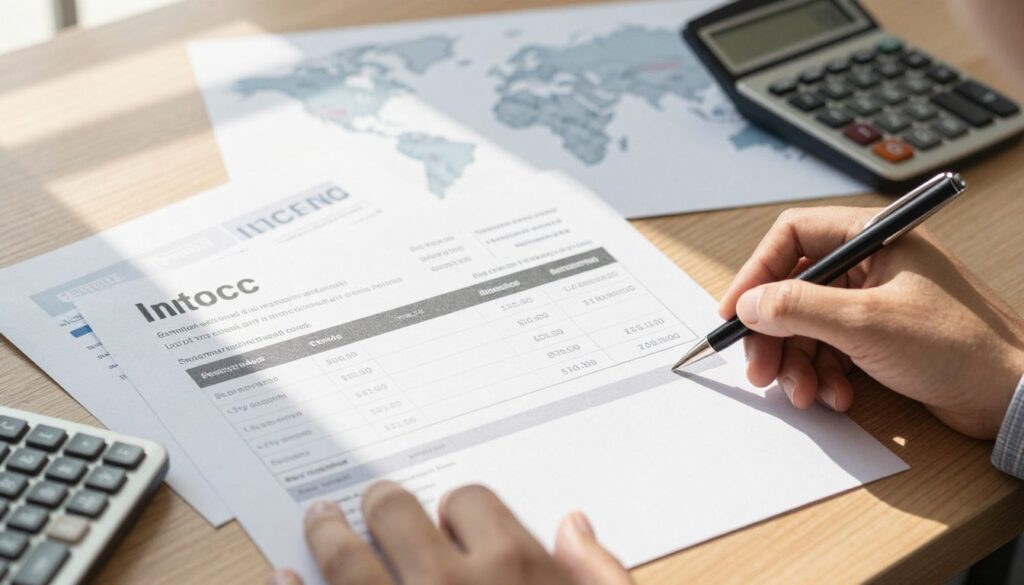
Consistency matters. Use the same description across the commercial bill, the K1 record, and the self-issued e-record so auditors can trace every item easily.
“Clear, consistent line descriptions make tax claims smoother and reduce the chance of rejection.”
- Use concise product names and exact quantities.
- Add unit price and any SKU or tariff code where available.
- Keep wording the same across all documents for a neat audit trail.
| Requirement | What to include | Why it matters |
|---|---|---|
| Product entry | Product name, brief description | Identifies the item for classification and review |
| Quantity & price | Units, unit price, total | Supports valuation and tax calculations |
| Identifier | SKU, HS code, or internal code | Links records across systems and documents |
Conclusion
Clear alignment between all import documents keeps Malaysian tax records tidy and defensible.
Follow LHDN e-invoice rules closely and issue the required self-billed record when needed. Verify that the commercial bill, clearance entries, and remittance proofs align so claims remain strong.
Well-kept files support any review of imported goods and make audits faster. Build a compact audit trail with dated documents, exchange rates, and clear line descriptions.
Use automation where possible to reduce manual errors, speed validation, and keep records consistent. Good processes protect tax positions and give teams confidence during compliance checks.
FAQ
What counts as importation under Malaysian e-invoice rules?
Importation covers goods brought into Malaysia for business use, resale, or processing. It includes items shipped by suppliers abroad, whether sold or provided as samples, and services tied directly to those goods such as customs clearance. Customs declarations, commercial invoices, and shipping documents together show that physical goods crossed the border.
Why is the self-billed e-invoice important for cross-border purchases?
A self-billed e-invoice links your purchase record with tax reporting and helps meet Malaysia’s e-invoice obligations. When a Malaysian buyer issues the invoice on behalf of a non-resident supplier, the document must match the customs declaration and bank remittance details so tax, import duties, and input tax credits can be justified during audits.
Which documents create a reliable audit trail for imported items?
Keep the commercial invoice, airway bill or bill of lading, packing list, customs K1 form, and bank payment proofs. Together these show the value, HS code classification, shipment route, and actual payment. Maintain copies in both original currency and the ringgit equivalent used for accounting and tax reporting.
How should I use MyInvois to stay compliant?
Upload invoices and supporting customs documents to MyInvois promptly. Use consistent supplier identifiers and invoice numbering. Reconcile line items and totals against the customs declaration and bank remittance before finalizing the e-invoice to reduce mismatches during filing.
What details are required for non-resident supplier records?
Record the supplier’s legal name, tax ID or GST/VAT equivalent if available, full address, bank account details used for payment, and contact information. Note the supplier’s country and any agent or freight forwarder involved. Accurate supplier data supports withholding tax, reverse-charge, and audit queries.
How does the K1 form fit into the reconciliation process?
The K1 form (customs release documentation) confirms goods were cleared and assigned HS codes and customs values. Reconcile K1 totals and HS codes with invoice line items. If customs valuation differs from the supplier invoice, document the reason and adjust accounting entries accordingly.
What is the role of HS codes when matching records?
HS codes classify goods for duty and statistical purposes. Ensure invoice descriptions and line-item codes match the HS codes declared to customs. Inconsistent descriptions or mis-coded items can trigger duty re-assessments and delay clearance.
Which bank payment proofs are acceptable for import reconciliation?
Bank transfer screenshots, SWIFT confirmations, remittance advices, and cleared statement entries showing beneficiary name, amount, date, and reference number work best. Match the currency, exchange rate used, and any bank fees against the invoice to ensure net landed cost is accurate.
How should currency exchange and valuation be recorded?
Convert foreign invoices into Malaysian ringgit using the exchange rate on the payment date or the rate required by your accounting policy. Record both original currency amounts and converted values. Include any bank charges and currency differences as separate line items or adjustments.
What are common reconciliation pitfalls and how do I avoid them?
Misstated values, missing supporting documents, and inconsistent line-item descriptions are frequent issues. Avoid them by standardizing invoicing templates, keeping scanned customs forms, and reconciling bank remittances monthly. Set up checklists for HS codes, quantities, weights, and unit prices.
What steps fix mismatched values between documents?
Investigate exchange-rate differences, discounts, freight or insurance not shown on the invoice, and customs valuation methods. Request corrected supplier invoices if errors exist. Document any agreed adjustments and reflect them in the self-billed e-invoice and accounting records.
How do I handle missing documentation during a review?
Reach out to the supplier, freight forwarder, or bank immediately for duplicates. If documents remain unavailable, prepare a written explanation, show supporting transactions, and note steps taken to obtain originals. Keep a clear trail for tax officers and auditors.
What best practices help long-term recordkeeping?
Keep digital archives with searchable filenames, retain originals per statutory retention periods, and store both invoice copies and customs forms together. Use consistent naming for suppliers and invoices, and back up systems regularly to protect audit evidence.
How do I distinguish goods from services in imported transactions?
Base the classification on the primary nature of the supply. Goods are tangible items shipped across the border; services are intangible and often performed outside Malaysia. Use commercial invoices and delivery documentation to confirm whether the transaction involved physical goods or service fees tied to import activities.
Can software automate matching and reduce errors?
Yes. Modern accounting and import-management platforms can auto-match invoice lines, customs entries, and bank remittances using OCR and rule-based matching. Integration with customs and banking feeds reduces manual data entry and speeds reconciliation.
What should I prepare for a tax audit focused on imports?
Gather the self-billed e-invoice, supplier invoice, K1 or customs release, shipping documents, proof of payment, and internal reconciliation notes. Ensure HS codes, declared values, and exchange rates are documented and that any adjustments have supporting correspondence.
Why are accurate line-item descriptions crucial?
Clear descriptions ensure proper HS classification, correct duty assessment, and valid input tax claims. Vague or inconsistent wording can trigger queries or penalties. Include quantity, unit of measure, material composition, and intended use where possible.